

















-iOS-1.jpg)















.png)





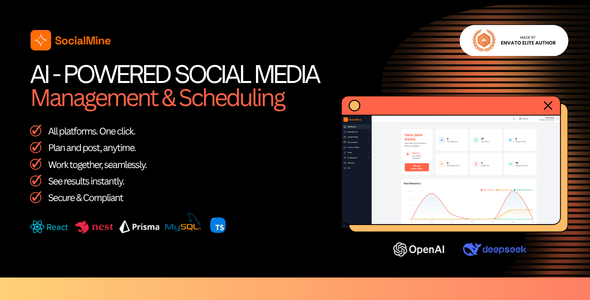
SocialMine - AI-Powered Social Media Management & Scheduling SaaS | React + Nest.js Script
Third-party costs: SocialMine integrates with external services such as OpenAI, DeepSeek, and Stripe (and other providers you configure). Those services bill

Third-party costs: SocialMine integrates with external services such as OpenAI, DeepSeek, and Stripe (and other providers you configure). Those services bill you directly based on your usage and pricing; those fees are not included in the CodeCanyon purchase price. You must supply your own accounts, API keys, and budgets for any third-party APIs or payment processors you enable.
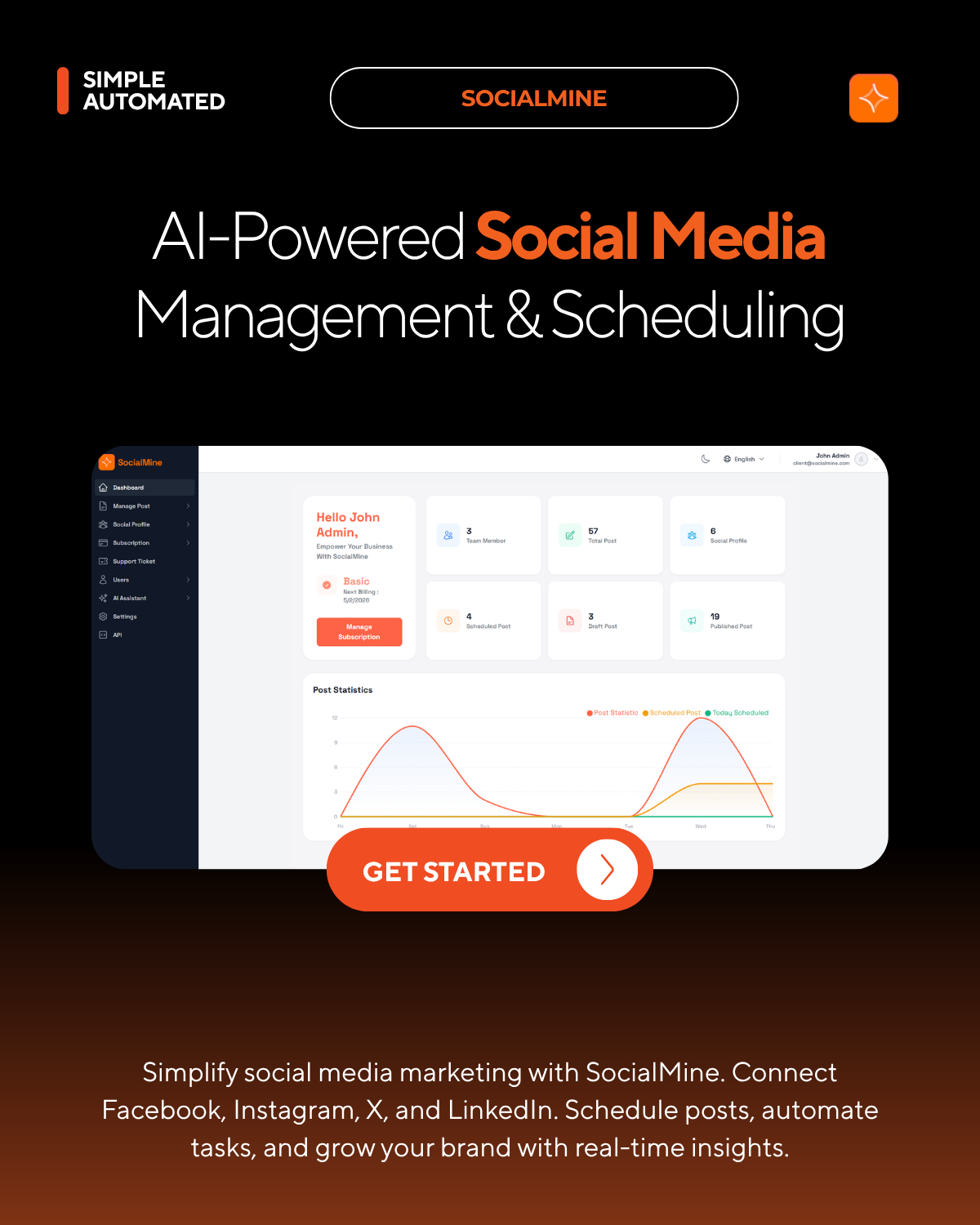
SocialMine – AI-Powered Social Media Management & Scheduling SaaS
SocialMine is a production-ready multi-tenant SaaS platform for social media marketing. Help businesses automate workflows, schedule posts, and manage engagement across Facebook, Instagram, X (Twitter), LinkedIn, TikTok, Threads, and more—with AI-assisted content, calendar scheduling, and a full super-admin control plane for plans, OAuth apps, and billing.
Demo
| Admin Panel: https://demo.socialmine.app/admin Email: admin@socialmine.com Password: admin123 | Client Panel: https://demo.socialmine.app/login Email: client@socialmine.com Password: password123 |
| Landing Page: https://demo.socialmine.app/ |

Why SocialMine?
- Multi-tenant SaaS ready – NestJS API, Prisma, MySQL, and a React (Vite) client with Tailwind CSS—designed for tenant isolation and platform operators.
- Major social networks – Connect accounts via OAuth 2.0 (Facebook, Instagram, LinkedIn, X, TikTok, Threads, and others as configured in admin).
- Scheduling & publishing – Drafts, scheduled posts, calendar views, and a background job that publishes due posts when the server runs continuously.
- AI-powered content – Per-tenant AI configuration (OpenAI or DeepSeek): AI Writer, templates, and assist when creating posts.
- Team & roles – Users and roles inside the tenant app; approval-style workflows and permissions depend on your subscription and configuration.
- Monetization – Plans, subscriptions, and payment gateways (e.g. Stripe) configurable from the super-admin area.
- Super-admin control plane – Clients (tenants), social platform OAuth apps, plans, billing, email, languages, CMS/landing pages, admin roles, and system branding.
- Security-minded – JWT authentication, encrypted token storage, configurable rate limits, optional demo mode for safe UI exploration.
- Documentation included – VuePress guides: setup, production deployment, aaPanel, admin configuration, user guide, and social platform developer-console setup.
Core modules & features
SaaS & multi-tenant
- Multi-tenant architecture with API-level data isolation
- Super-admin
/adminfor clients (tenants), plans, and subscriptions - Subscription plans and payment gateway configuration (e.g. Stripe)
- Optional
DEMO_MODEto block mutating API calls for public demos - Root
.envshared by server and client (Vite exposesVITE_*only)
Social accounts & OAuth
- Enable and configure each network in admin with app credentials (client ID, secret, provider-specific fields)
- End users connect profiles from Social Profile; tokens stored encrypted server-side
- Set
API_PUBLIC_URLso OAuth callback URLs match Meta, LinkedIn, X, TikTok, Threads, etc. - See project docs: Social platform configuration for redirect URIs and permissions
Posts & scheduling
- Create posts with title, body, links, and media where supported
- Post immediately, schedule for a specific time, or save as draft
- Views: all posts, draft, scheduled, published, and calendar (month/week-style)
- Post templates for reusable workflows
- Scheduled posts processed by a server scheduler (typically every minute)—requires the NestJS process to run in production
AI-powered content
- Per-tenant AI settings: provider off, OpenAI, or DeepSeek; API keys stored for the tenant
- Optional defaults: language, length, tone, and level
- AI Writer, AI assist in create-post flow, and AI templates
- Authenticated API:
POST /api/ai/generateuses tenant AI configuration
Team & access
- Users and roles for in-app access control
- Admin panel: separate admin auth and role-based permissions for dashboard, tenants, plans, social platforms, and more
Billing & support
- Subscription and billing UI tied to plans and gateways configured in admin
- Support tickets (create, list, detail; attachments/departments depend on configuration)
Settings & developer
- Business profile, tax/currency, branding where enabled
- Profile and security for the logged-in user
- Developer API documentation in-app where exposed (
/developer/api)
Integrations (as configured)
- Stripe (or other supported gateways) for subscriptions
- SMTP for email verification, password reset, and notifications
- AI providers: OpenAI, DeepSeek
SaaS operator workflow
SocialMine is built for running a social-media-management SaaS:
- Plans – Define tiers and limits in admin; tie tenants to subscriptions.
- Tenants – Each client organization uses the product with isolated data.
- OAuth apps – Configure each social platform in admin so end users can connect accounts.
- Billing – Connect payment gateways and webhooks per your deployment.
- Docs & hosting – VuePress documentation in
docs/; build static docs withnpm run docs:buildfor hosting.
Tech stack
Frontend:
- React 18 with TypeScript
- Vite for development and production builds
- Tailwind CSS
- TanStack React Query for data fetching
- React Router for navigation
- i18next / react-i18next for internationalization
Backend:
- Node.js with TypeScript
- NestJS
- Prisma ORM with MySQL 8+
- JWT authentication
- Scheduled tasks for publishing due posts
Documentation:
- VuePress site under
docs/(setup, deployment, aaPanel, admin, user guide, platform configuration)
Installation (quick overview)
Full steps are in the repository README and docs/guide/setup.md. Summary:
- Prerequisites – Node.js 18+, MySQL 8+, Git, npm or yarn
- Clone & install – Install dependencies in
serverandclient - Environment – Copy root
.env.exampleto.env; setDATABASE_URL,JWT_SECRET,ENCRYPTION_KEY,VITE_API_URL, and recommendedCORS_ORIGIN,FRONTEND_URL,API_PUBLIC_URL - Database – Create MySQL database; run Prisma generate and migrations from
server - Run – Start API (e.g.
npm run start:devinserver) and web app (npm run devinclient) - Production – See
docs/guide/deployment.md,README_PRODUCTION.md, and aaPanel guides indocs/guide/
Documentation index: see docs/README.md in the repository.
System requirements
- Node.js v18 or higher
- MySQL 8.0 or higher
- npm or yarn
- Minimum 2GB RAM (4GB+ recommended for production)
- Modern browser (Chrome, Firefox, Safari, Edge)
- Production: long-running Node process (e.g. PM2) so scheduling and webhooks work
Changelog
Version 1.0.0 – Initial release
- Multi-tenant social media management SaaS (NestJS + Prisma + React/Vite)
- OAuth-connected posting and scheduling across major platforms (as configured)
- AI content features with OpenAI/DeepSeek per tenant
- Super-admin panel for tenants, plans, OAuth apps, and billing
- VuePress documentation for setup, deployment, and configuration
Support & notes
Documentation first – Read the guides in the docs/ folder (or your hosted docs site): setup, user guide, admin guide, and social platform configuration.
Support – For technical issues, use your marketplace or repository support channel. Include error messages, steps to reproduce, Node/MySQL versions, and relevant .env variable names (not secret values).
Important notes:
- OAuth and publishing require correct
API_PUBLIC_URLand matching callback URLs in each provider’s developer console. - Scheduled publishing requires the API server to run continuously.
- SMTP is required for reliable email verification and password reset in production.
- AI features need a configured provider and valid API keys per tenant.
What's Your Reaction?
 Like
0
Like
0
 Dislike
0
Dislike
0
 Love
0
Love
0
 Funny
0
Funny
0
 Angry
0
Angry
0
 Sad
0
Sad
0
 Wow
0
Wow
0

.png)