















![XSender - Bulk Email, SMS and WhatsApp Messaging Application [SAAS]](https://s3.envato.com/files/732634864/xsender-preview-590x300(1).jpg)





.png)















VoxelSite — AI Website Generator · Self-Hosted · Own Your Files
AI Website Generator — Describe It. Build It. Own It. VoxelSite generates production-ready content websites from a text description. Describe a business — a bak
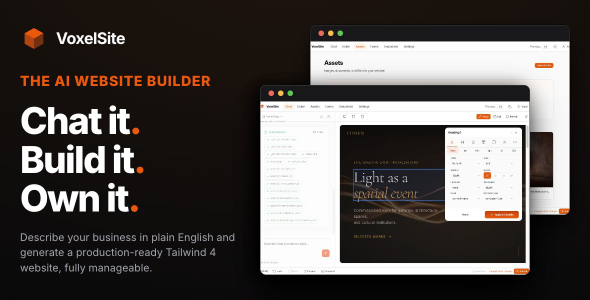
AI Website Generator — Describe It. Build It. Own It.
VoxelSite generates production-ready content websites from a text description. Describe a business — a bakery, a law firm, a design studio — and VoxelSite builds a complete, multi-page website with Tailwind CSS 4, responsive design, working contact forms, and SEO. The output is clean PHP, CSS, and JavaScript files on your server. You own them.
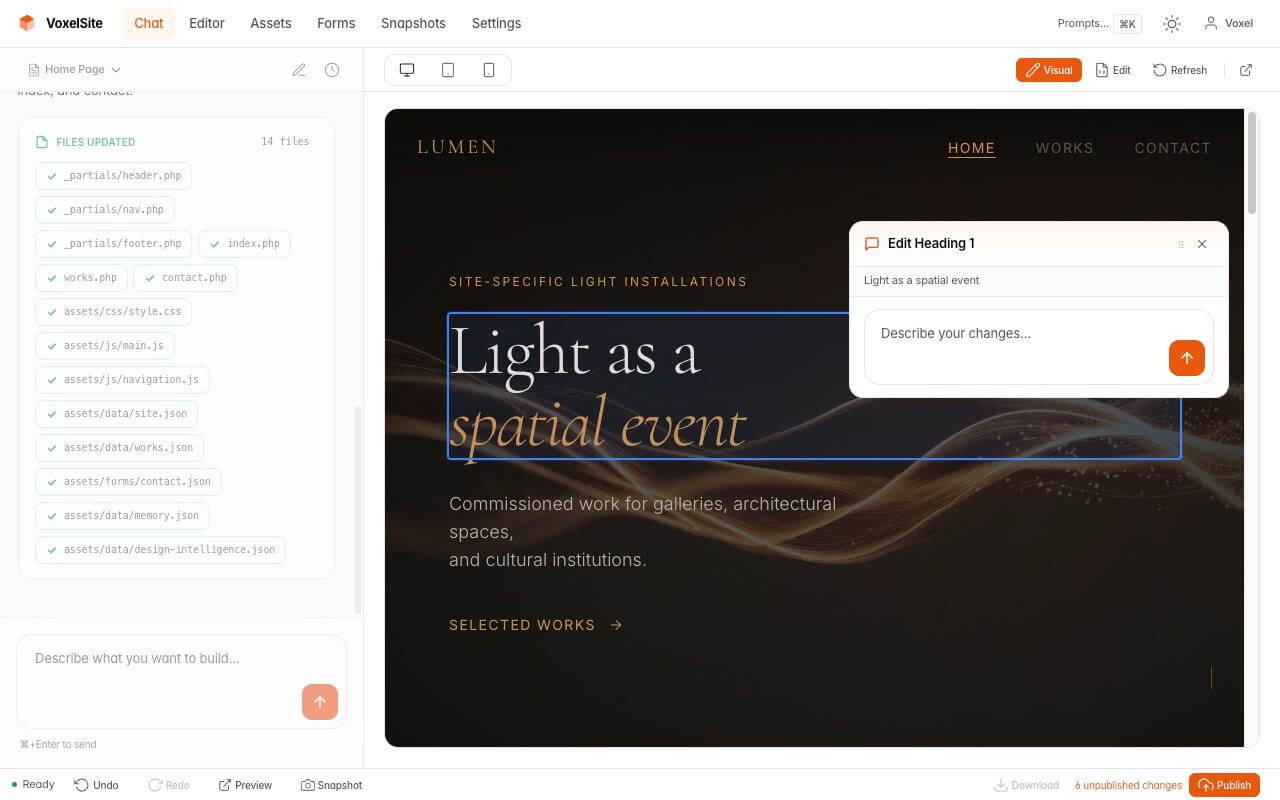
Edit anything. Click any element in the visual editor to change text, swap images, or adjust styles. Select a section and tell the AI what to change. Open the code editor and press Cmd+K for inline AI editing. Or just describe what you want in the chat — VoxelSite rewrites the code for you.
AI-generated website — from a single description
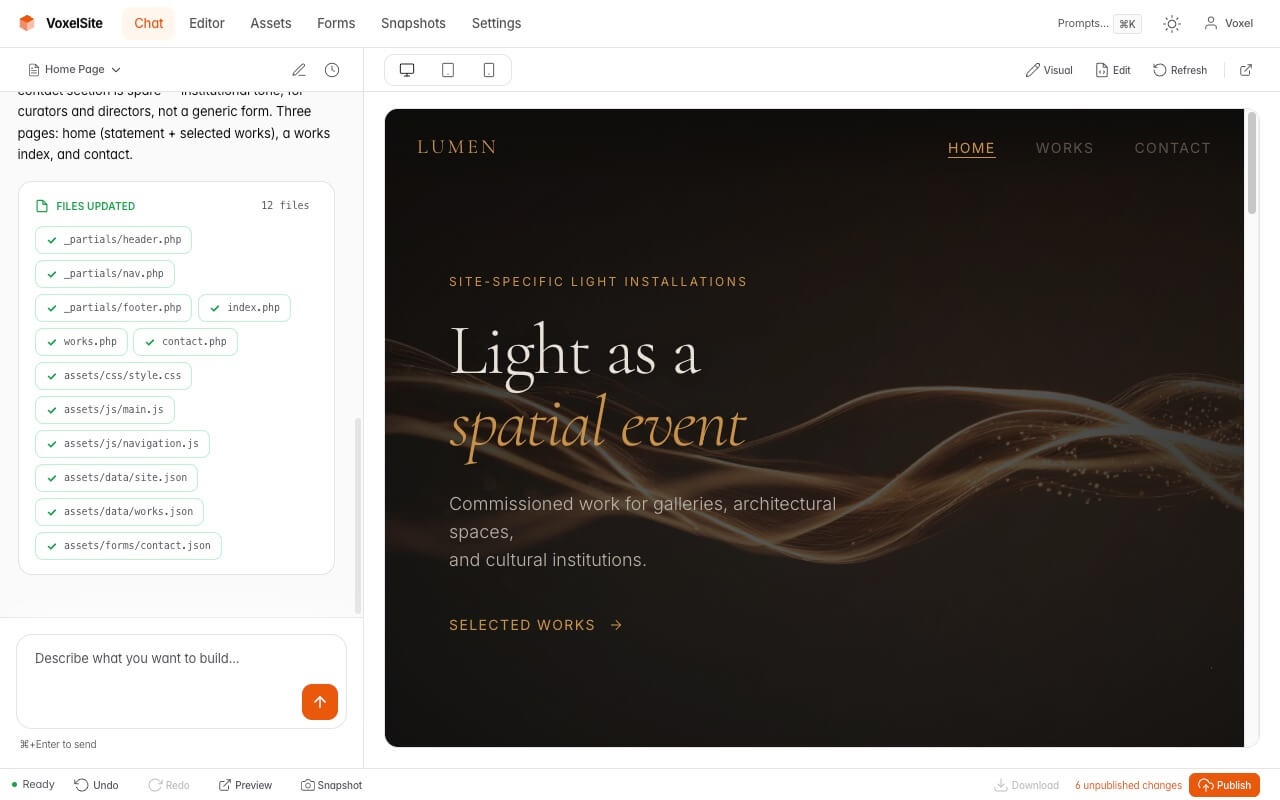
Visual editor — click any element to style it
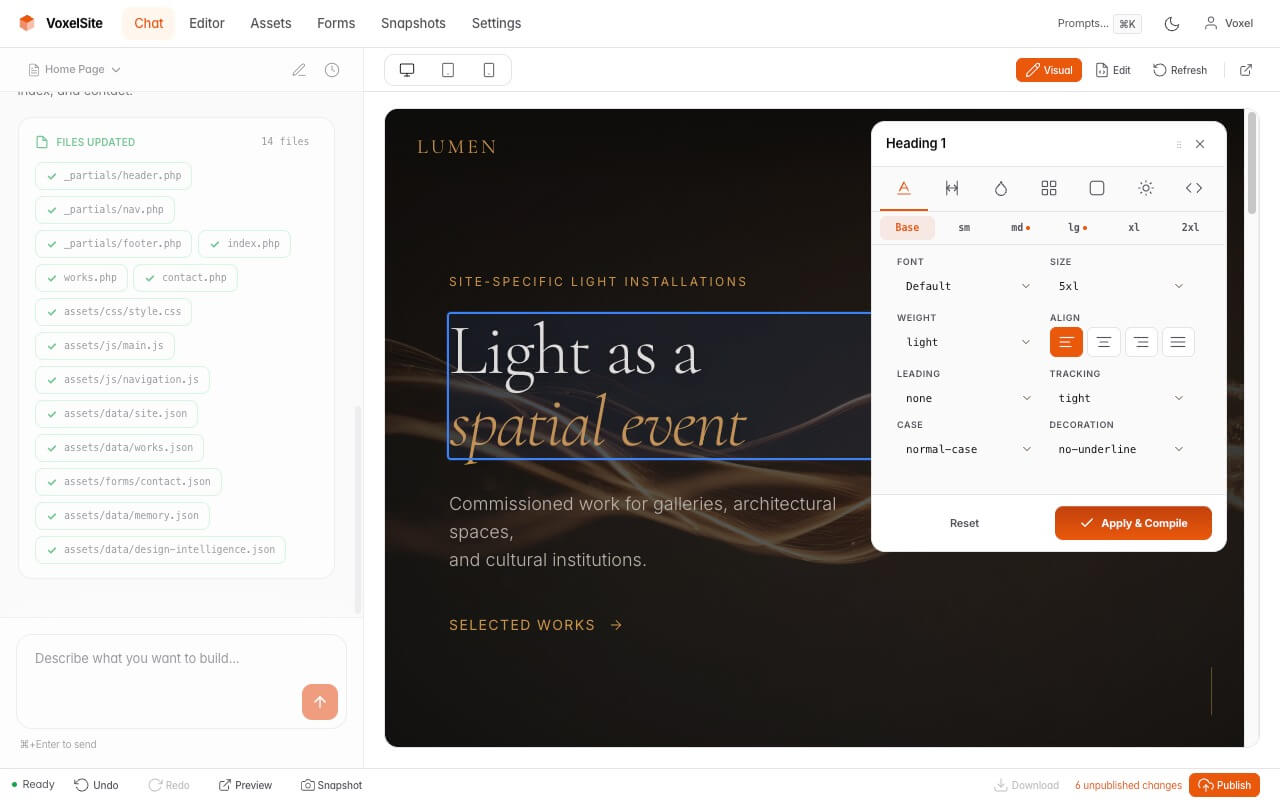
Edit with AI — select a section and describe your changes
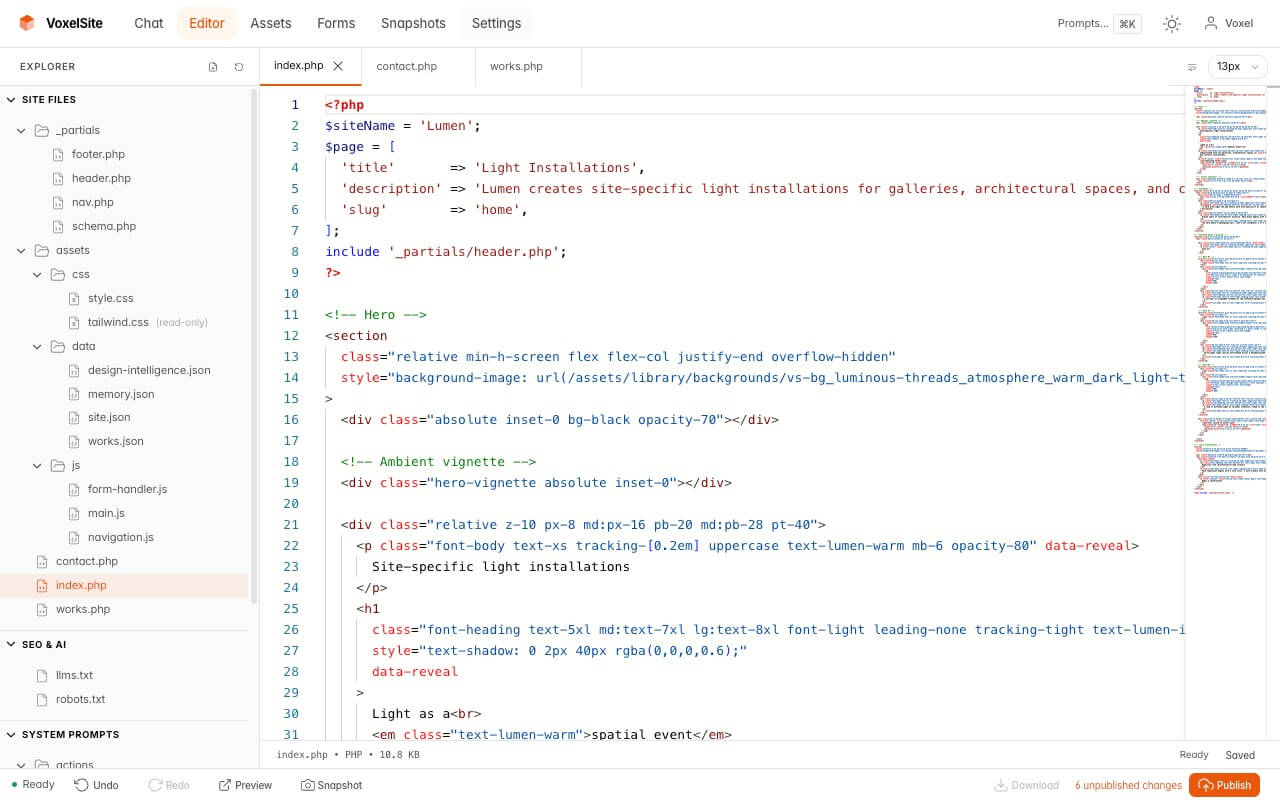
Code editor with inline AI editing (⌘K)
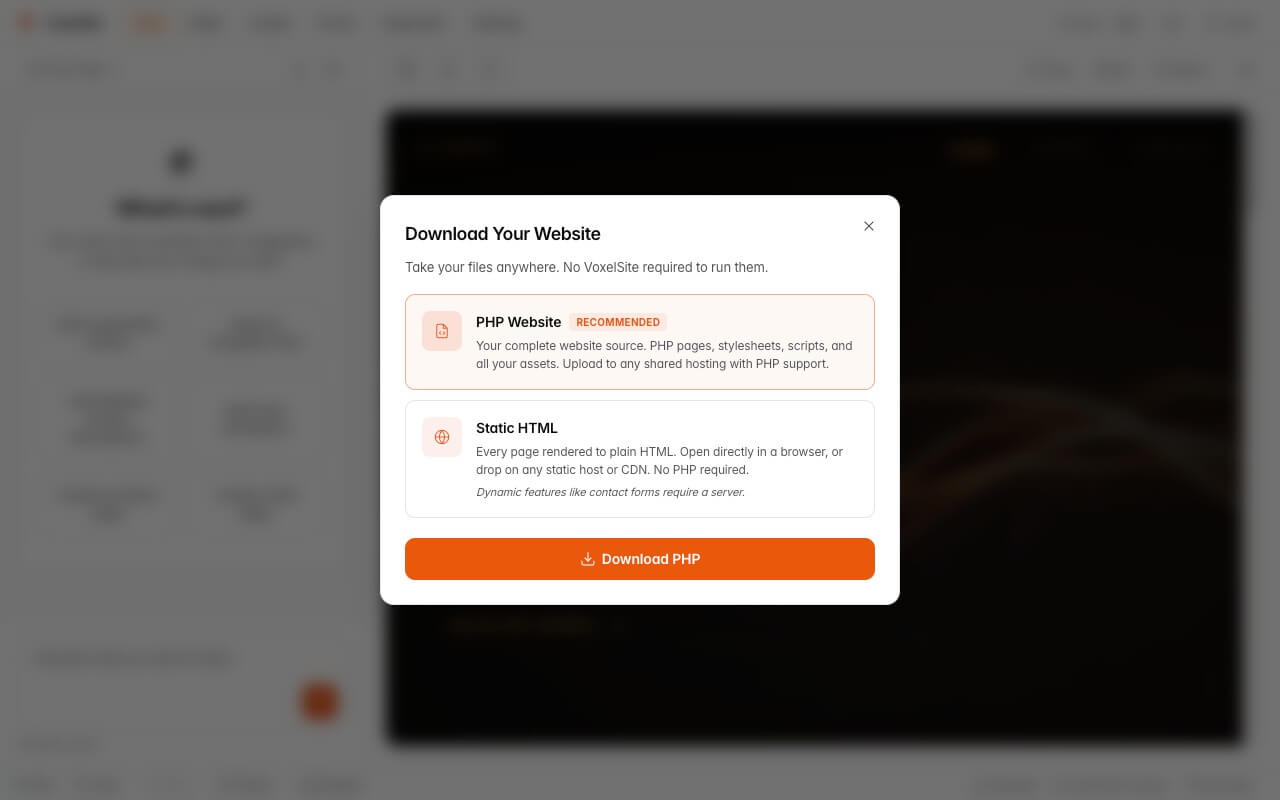
Download & export — PHP or static HTML
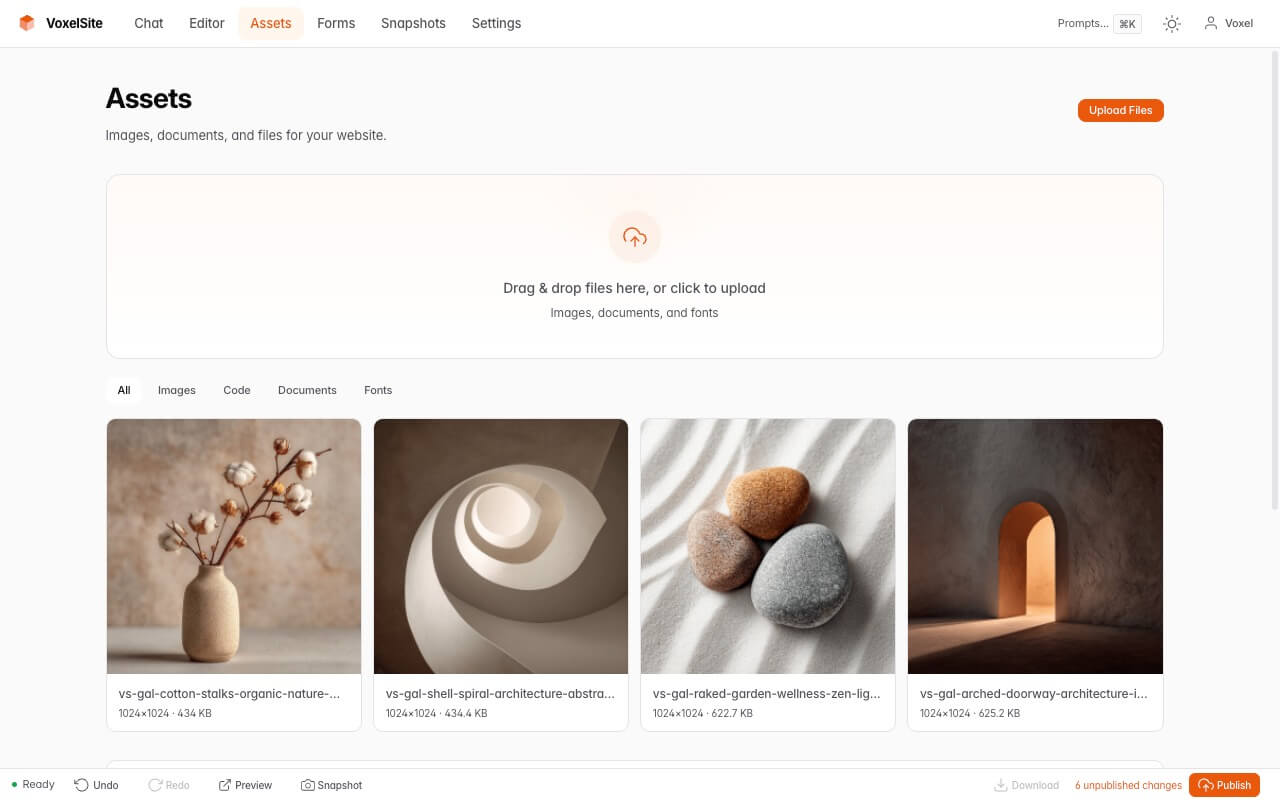
Asset manager
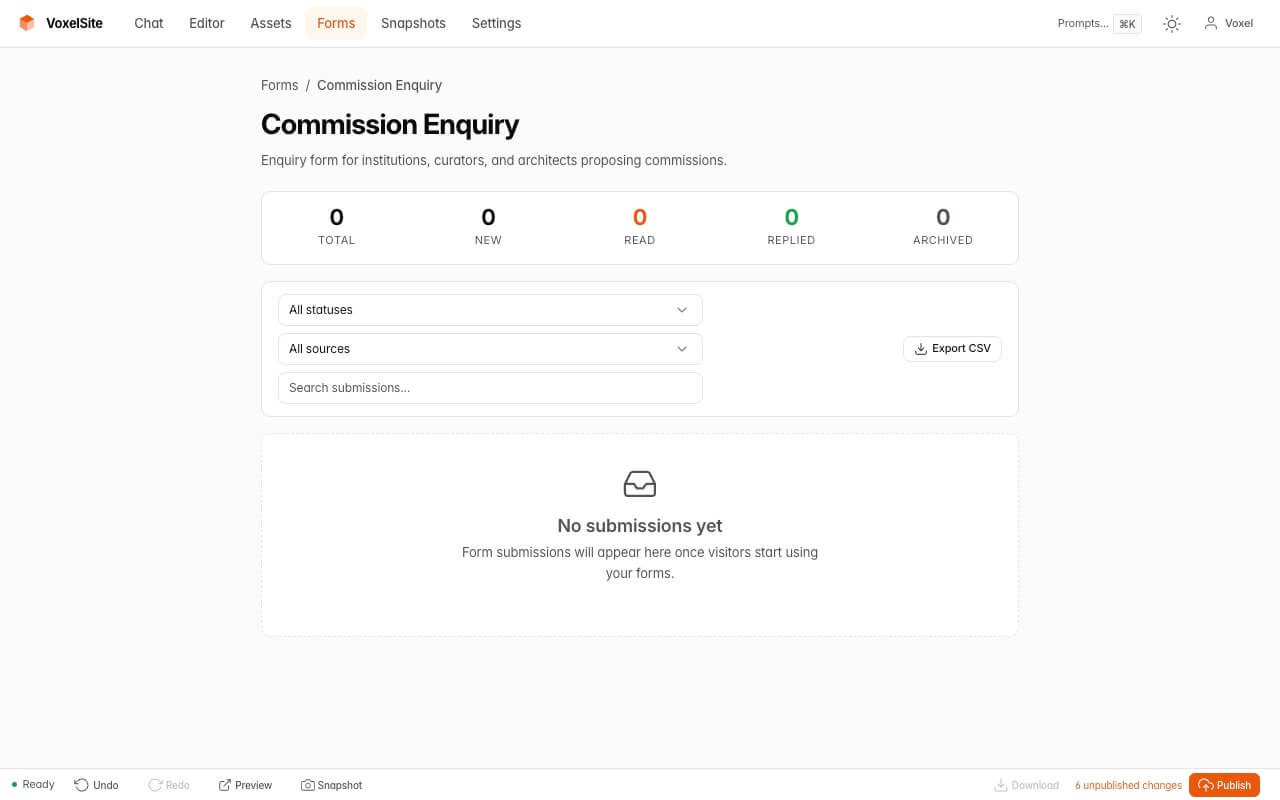
Form submissions
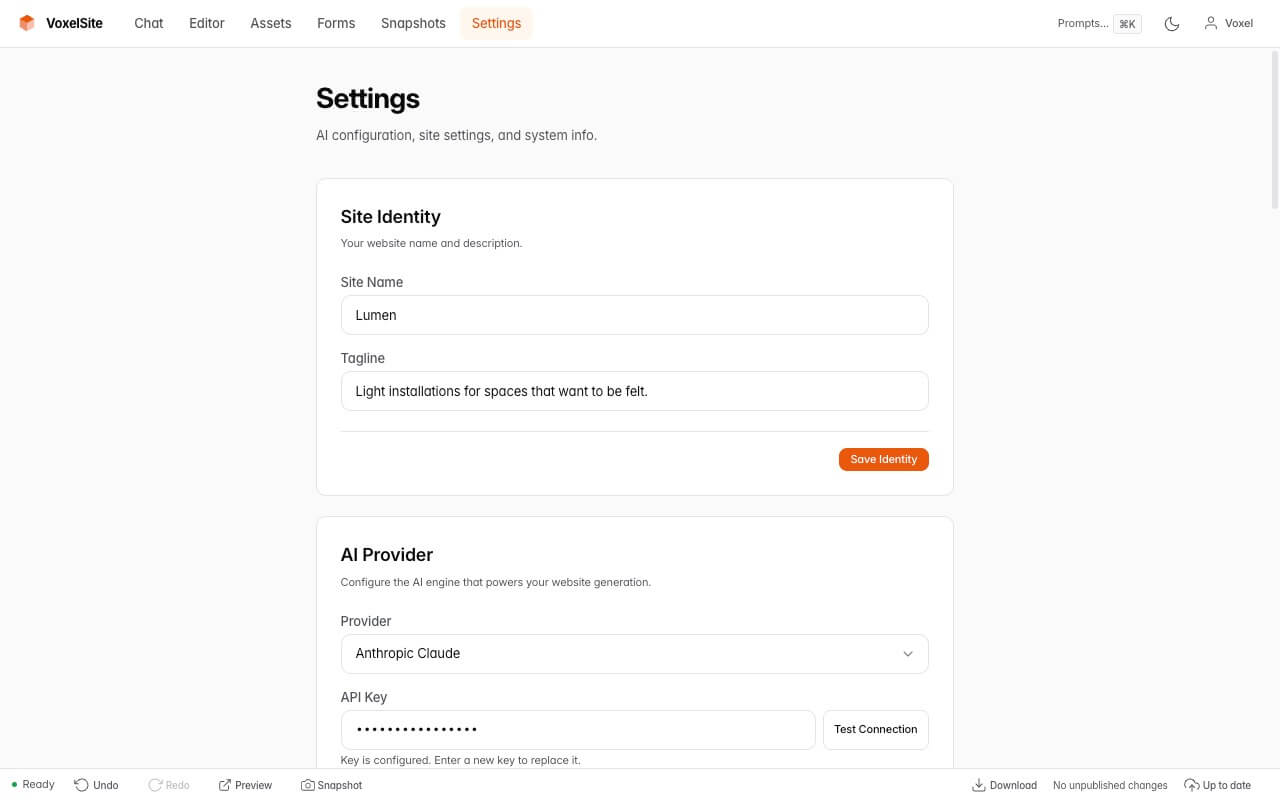
Settings — AI provider, identity, and updates
Three Ways to Edit
1. Chat
Describe what you want in plain language. “Add a testimonials section.” “Make the header darker.” “Change the font to Playfair Display.” VoxelSite reads your current site before every response — edits are surgical, not destructive.
2. Visual Editor
Click any element to edit text inline, swap images, or adjust Tailwind styles with instant live preview. Change typography, colors, spacing, and layout across all responsive breakpoints. Select any section, click AI, and describe what you want changed — the AI rewrites it in place.
3. Code Editor
Full Monaco editor (the engine behind VS Code) with file explorer, multi-tab editing, and syntax highlighting. Select any code block, press Cmd+K, and describe the change — the AI streams the rewritten code back in real time. Changes appear as unsaved drafts so you can review before committing.
Complete Feature Set
Website Generation
- Chat-to-website — Describe your business and VoxelSite generates a complete, multi-page content site with navigation, written copy, and a cohesive design.
- Tailwind CSS 4 — Compiled on the server. No Node.js, no npm, no build step on your hosting.
- 132 curated images — 60 backgrounds and 72 gallery images ship with VoxelSite. The AI selects them by tone, mood, and category. Replace with your own images anytime.
- Responsive design — The AI selects from 6 mobile navigation patterns based on the site’s personality and page count. CSS transitions for smooth mobile menu animations.
- Clean output — Standard PHP, CSS, and JavaScript. No frameworks, no build tools, no proprietary formats. Open the files in any editor.
Editing & Refinement
- Visual editor + Edit with AI — Click any element to edit inline. Select a section and describe changes — the AI rewrites it for you. Live JIT CSS preview for instant style adjustments.
- Inline AI code editing — Select code, press Cmd+K, describe the change. The AI rewrites the selection in real time. Review before saving.
- Conversational editing — Send follow-up prompts to refine any part of the site. The AI reads your current pages, styles, and structure before every response.
- Style editor — Typography, spacing, colors, layout, borders, and effects. Icon-based tabs, responsive breakpoint bar, two-step color picker with all 22 Tailwind color families.
- Custom system prompts — View and edit the AI’s internal instructions directly. Customizations are update-safe — they survive VoxelSite updates.
Forms
- Working out of the box — Contact forms, booking forms, inquiry forms. The AI generates the right form for your business type.
- Server-side validation — Required fields, email format, phone format, custom rules.
- Honeypot spam protection — No CAPTCHA, no external services.
- Email notifications — SMTP (Gmail, Outlook, Yahoo, Zoho, custom) or PHP mail().
- Submission management — View, filter, search, export to CSV, add notes, change status. All stored in SQLite.
SEO & AI Discovery
- Meta tags & semantic HTML — Title tags, meta descriptions, proper heading hierarchy, Open Graph tags, alt text, ARIA labels.
- Auto-generated on publish — XML sitemap, robots.txt, Schema.org structured data (Organization, LocalBusiness, FAQ, Breadcrumbs).
- llms.txt — AI-readable site map for language models. AI assistants can discover your business.
- MCP server — Every site includes an MCP endpoint. AI agents can query your business info, services, menu, and submit forms.
- Editable SEO files — Edit robots.txt and llms.txt directly in the code editor.
Download & Export
- PHP export — Download your complete site as a ZIP. Upload to any PHP hosting and it runs immediately.
- Static HTML export — Pre-rendered HTML files for any web server, CDN, or static host (Netlify, Vercel, GitHub Pages, S3).
- Smart asset bundling — Only images, fonts, and files your pages actually use are included in the export.
Management
- Snapshot system — Every change is tracked. Revert a single action, undo a whole session, or restore any snapshot.
- Asset manager — Upload, organize, and manage images. Drag and drop. The AI references them when building pages.
- Collections — Team members, services, menu items, portfolio pieces. Structured content the AI uses for well-organized pages.
- Site Memory — The AI remembers facts about your business (phone, hours, services). Never repeat yourself.
- Design Intelligence — The AI tracks its own design decisions (colors, typography, mood) for consistency across edits.
- One-click publish — Preview, then publish. Sitemap, robots.txt, and schema.org update automatically.
- Demo mode — Show the Studio to clients as a read-only showcase. API-level enforcement — safe to expose publicly.
Infrastructure
- Self-hosted — Runs on your server. Your data stays on your infrastructure. No SaaS dependency.
- No lock-in — Delete VoxelSite and the published site keeps running. Or download the files and host them anywhere.
- SQLite storage — No database server to configure. One file.
- Apache — Works on shared hosting, VPS, or dedicated server. Nginx works with manual configuration.
- Multi-provider AI — Anthropic Claude, OpenAI GPT, Google Gemini, DeepSeek, or any OpenAI-compatible endpoint.
- In-app updates — Upload a new version ZIP in Settings. No command line needed.
Who It’s For
- Small business owners who need a website but don’t want to learn WordPress, Wix, or Squarespace. Describe your business, get a real website. Edit it yourself with the visual editor — no coding required.
- Freelancers & agencies who build sites for clients. Go from client brief to a polished content site in one session. Refine with the visual editor and AI, download the files, hand over.
- Web developers who want clean, customizable code as a foundation. The output is standard PHP, HTML, and CSS you can open in any editor and keep building on.
- Non-technical people who tried other website builders and got overwhelmed. VoxelSite generates the site for you. Click on anything to change it. Ask the AI to fix something. No design skills needed.
Built for
Content websites: business pages, portfolios, restaurants, salons, consulting firms, service providers, studios, freelancer sites. If the site’s job is to present a business and handle contact enquiries, VoxelSite generates it.
How It Works
- Install on your server — Upload VoxelSite to any PHP 8.2+ hosting. Run the 3-step installer.
- Add your AI key — Connect Anthropic, OpenAI, Google, DeepSeek, or any compatible provider.
- Describe your business — Type what you do, who your customers are, and what tone you want.
- VoxelSite generates the site — Pages, navigation, copy, forms, images, styles — in a single response.
- Refine — Send follow-up prompts, click-and-edit in the visual editor, use inline AI in the code editor.
- Publish or download — One click to publish live. Or download as PHP or static HTML and deploy anywhere.
Requirements
- PHP 8.2+ with PDO SQLite, OpenSSL, cURL, mbstring, fileinfo, GD or Imagick, ZipArchive
- SQLite 3.35+
- Apache with mod_rewrite
- Shared hosting (cPanel, Plesk), VPS, or dedicated server
- An API key from Anthropic, OpenAI, Google, DeepSeek, or any OpenAI-compatible provider (not included)
Resources
- Website — voxelsite.com
- Documentation — Complete guides
- Live Demo — Try the Studio and browse real AI output
- Changelog — Full version history
One-time purchase. No subscriptions. No per-site fees. You bring your own AI API key.
What's Your Reaction?
 Like
0
Like
0
 Dislike
0
Dislike
0
 Love
0
Love
0
 Funny
0
Funny
0
 Angry
0
Angry
0
 Sad
0
Sad
0
 Wow
0
Wow
0