


















































Form Builder Addon for WhatsMark SaaS – Visual Drag & Drop Forms with CRM Integration
Requirements: This module must be installed on an active WhatsMark SaaS 2.0 or later version (self-hosted) system. No third-party form builders required. For
Requirements: This module must be installed on an active WhatsMark SaaS 2.0 or later version (self-hosted) system. No third-party form builders required.
Form Builder Addon for WhatsMark SaaS – Visual Drag & Drop Forms with CRM Integration
Brief Description
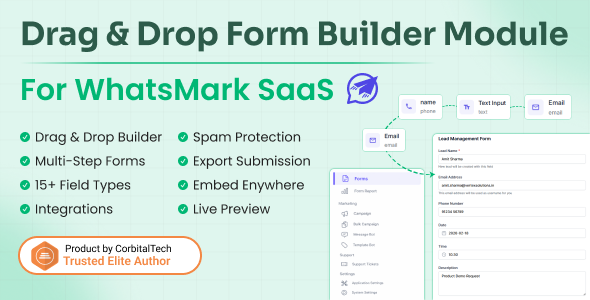
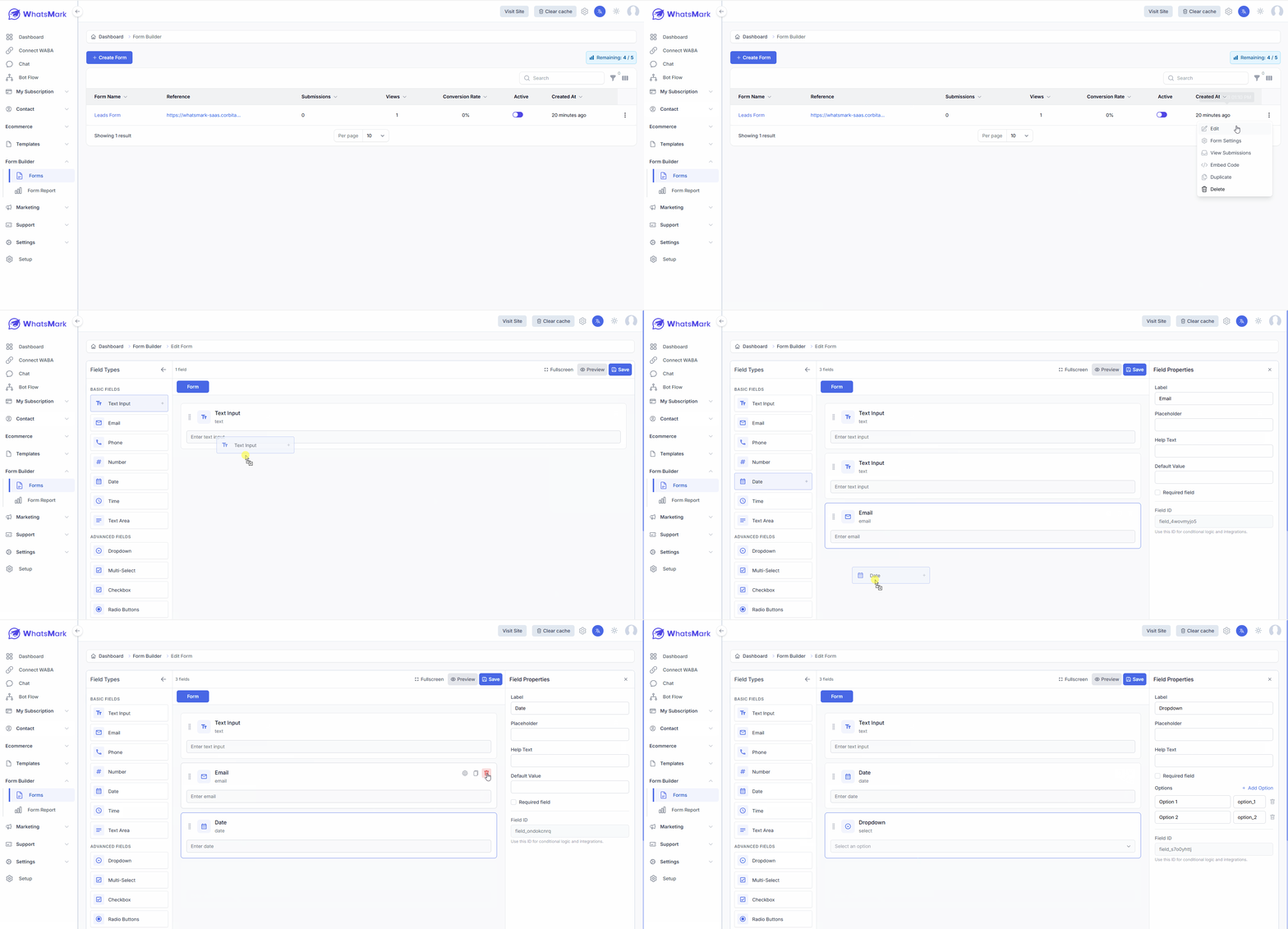
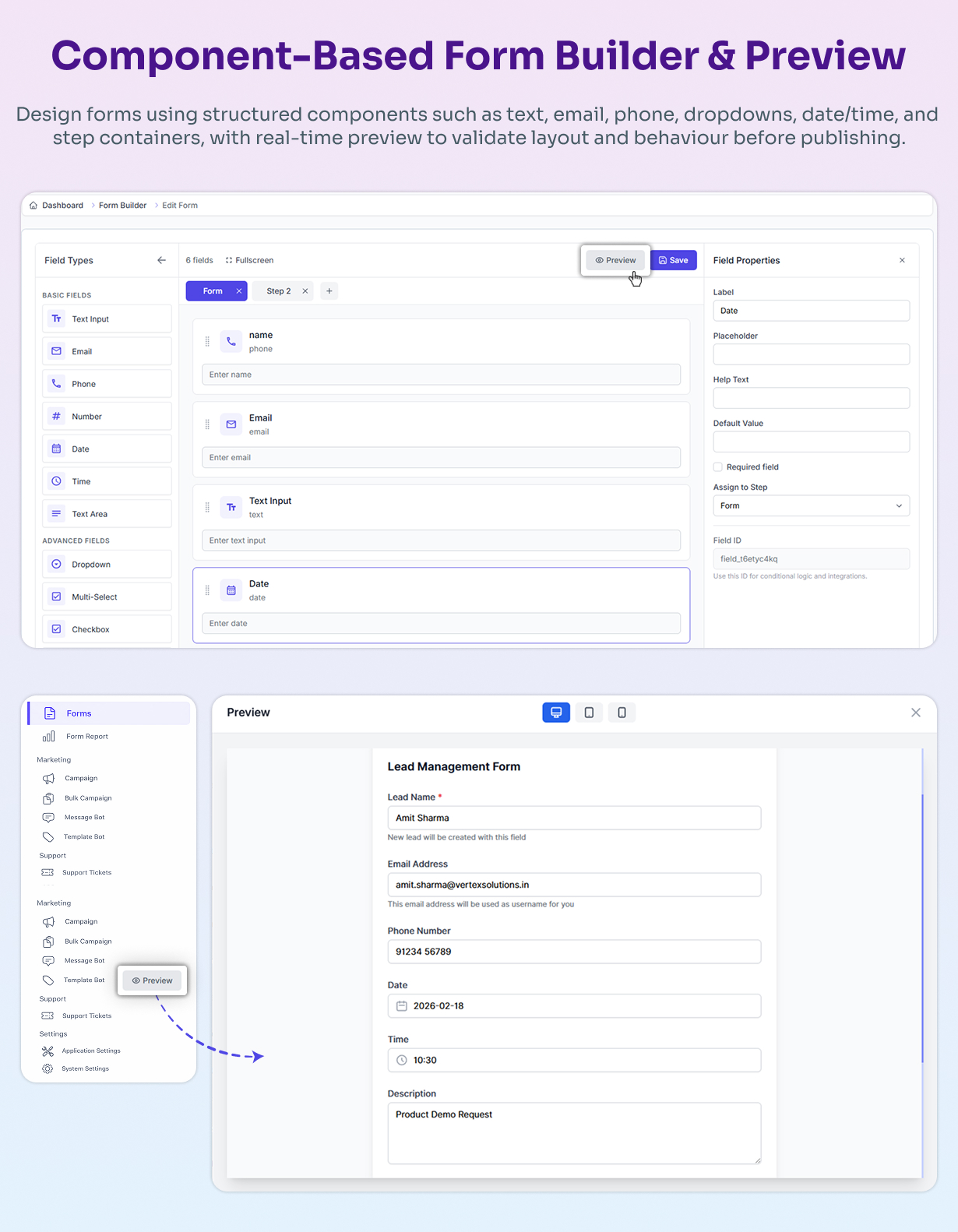
Form Builder Addon for WhatsMark SaaS is a powerful, component-based module that allows you to create, customize, publish, and manage forms visually. Build single or multi-step forms using drag & drop components, protect them with spam prevention, embed them anywhere, and track submissions with built-in reports—all fully integrated with WhatsMark SaaS.
The component-driven architecture ensures consistent rendering across preview, public forms, and embedded instances. Each field is a reusable component with unique identification, making forms scalable and maintainable. Submissions are automatically stored and linked to CRM contact records, creating a seamless lead management workflow.
No third-party dependencies. No external form services. Complete control with native WhatsMark integration.
Key Features
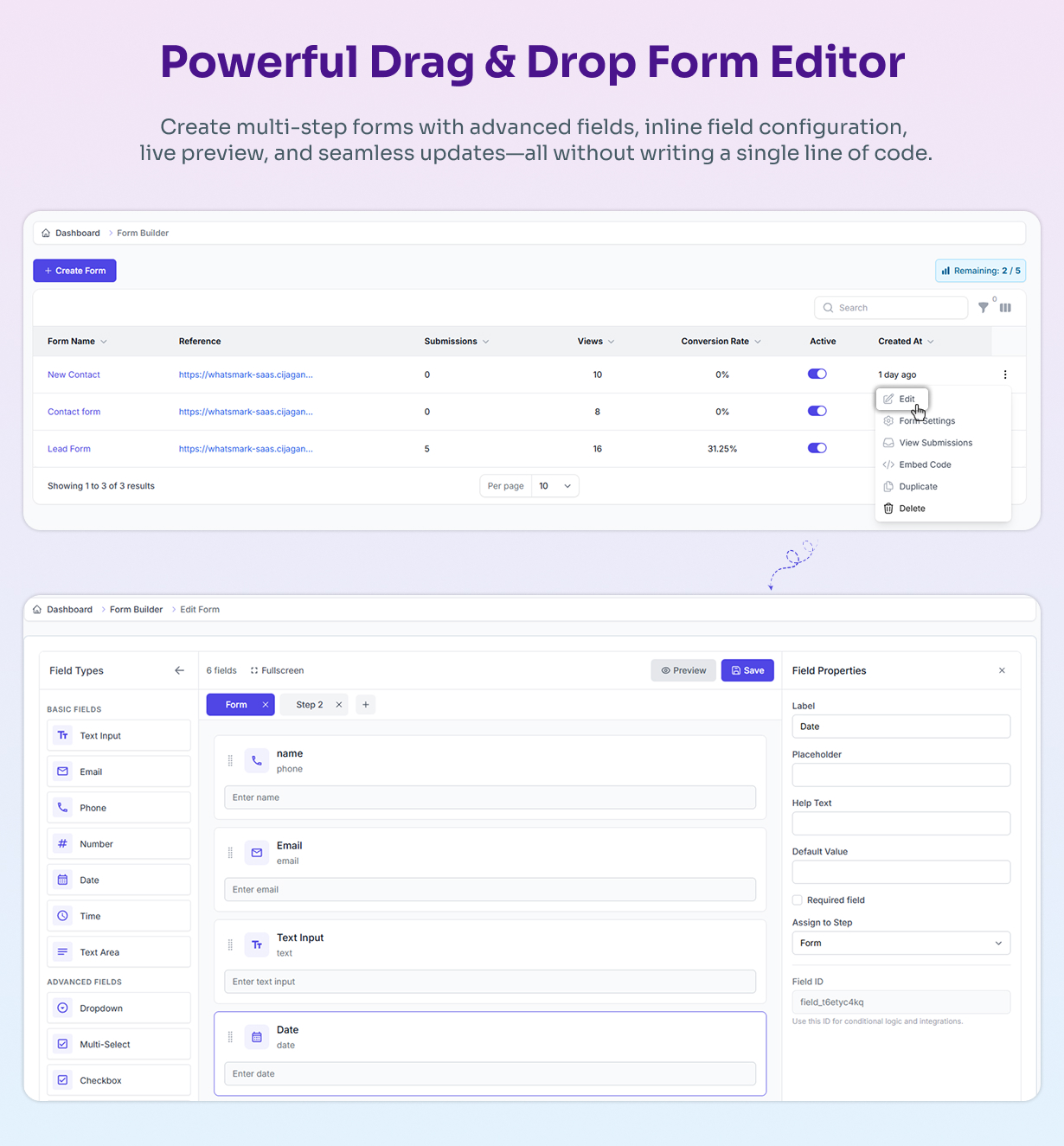
- Visual drag & drop form builder (no coding required)
- Component-based form architecture for consistency and scalability
- Multi-step form support for complex data collection
- Rich form components: text, email, phone, number, date, time, textarea, dropdown, multi-select, checkbox
- Live form preview before publishing
- Field-level configuration: labels, placeholders, help text, default values, required rules
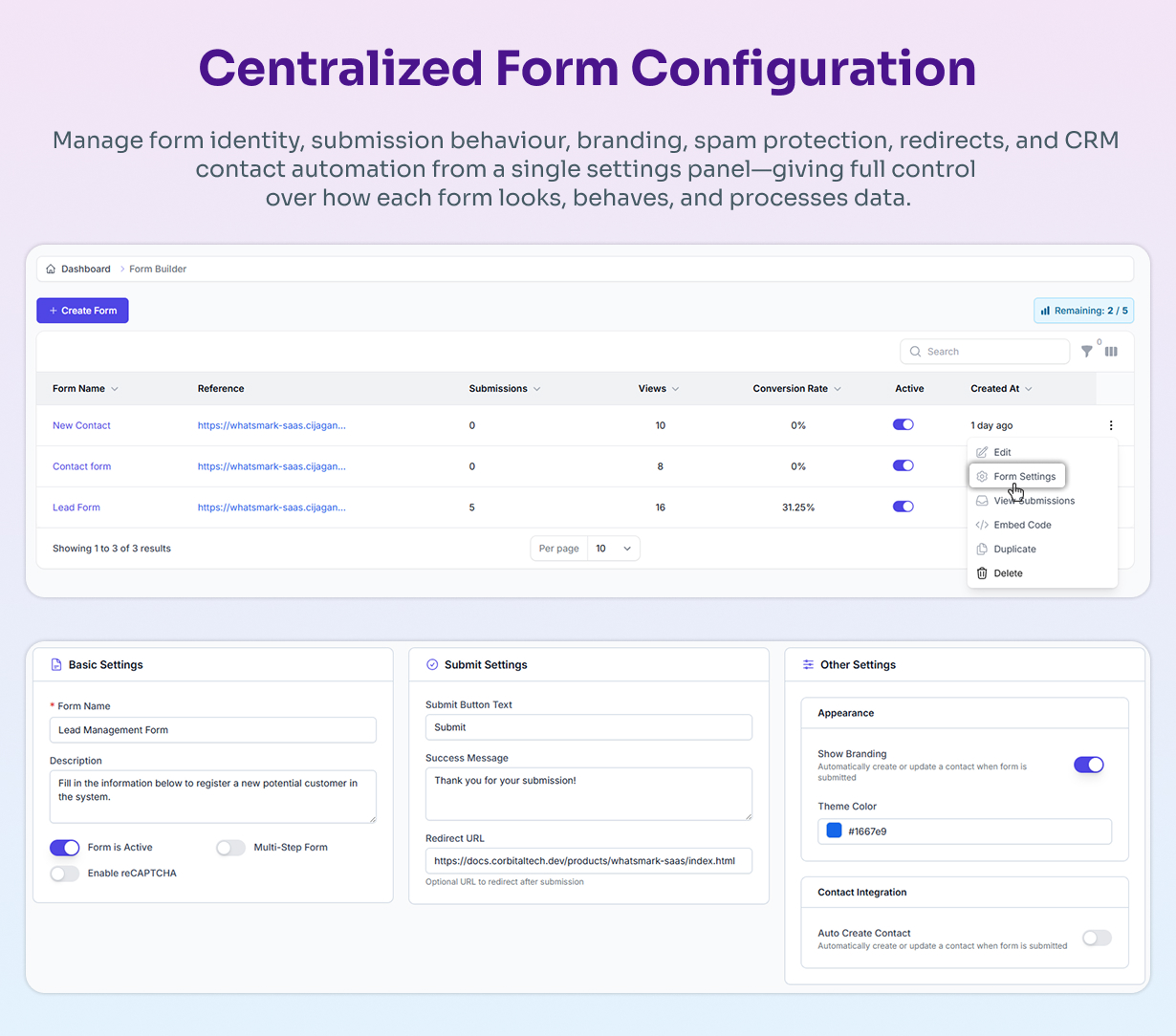
- reCAPTCHA-based spam protection to prevent abuse
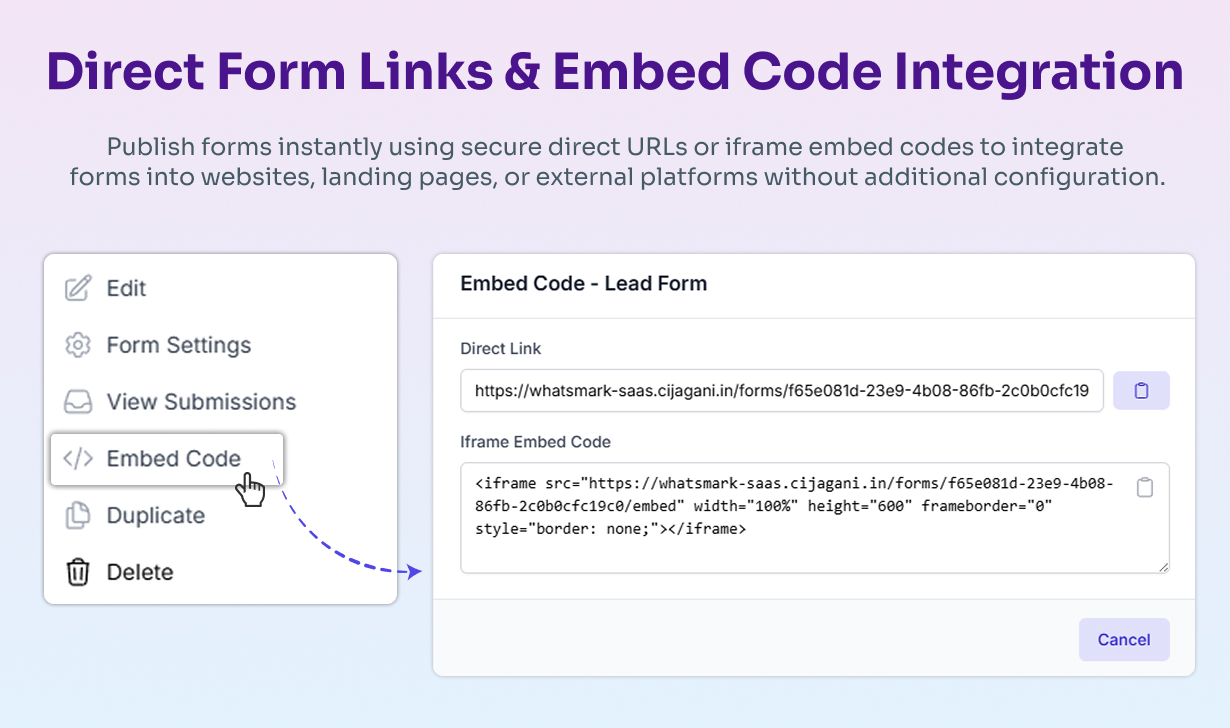
- Unique public form URLs for easy sharing
- Iframe embed code for external websites
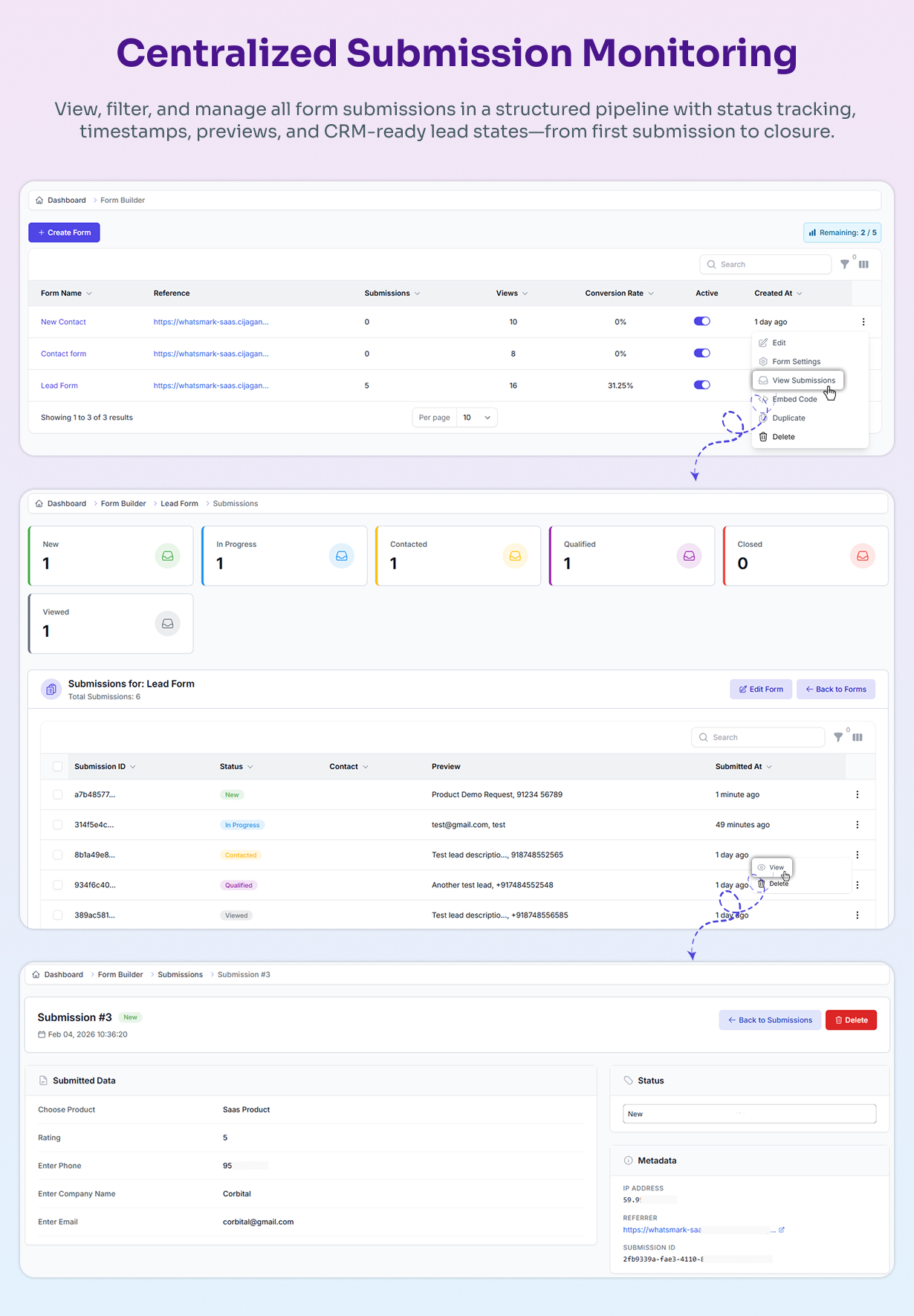
- Submission and lead management dashboard
- Status-based lead workflow tracking (New, In Progress, Qualified, Converted, etc.)
- Automatic contact creation in WhatsMark SaaS
- Centralized form settings and appearance control
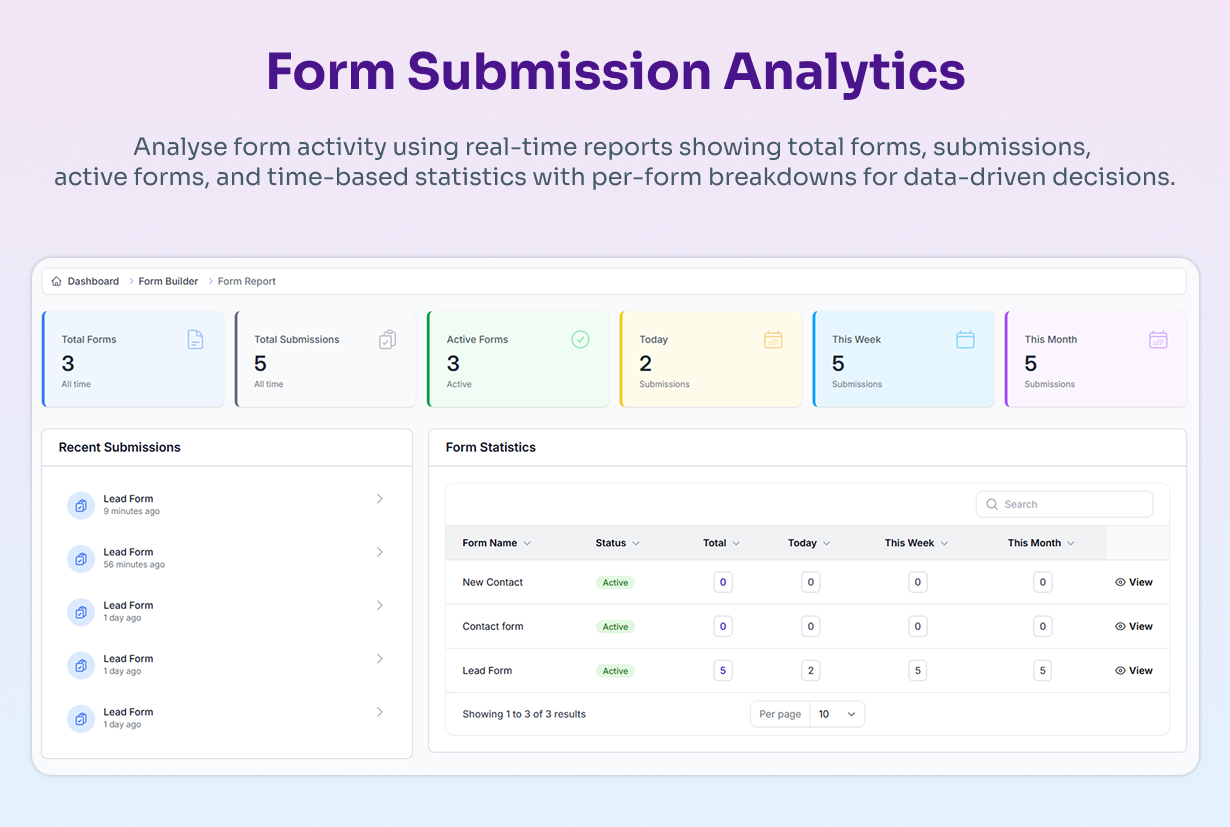
- Built-in form reports and analytics
Who Can Use This Item?
- SaaS owners running WhatsMark in a multi-tenant environment
- Businesses collecting leads, contacts, or feedback
- Agencies managing multiple client forms
- Marketing teams running campaigns and landing pages
- Developers looking for a native, extensible form solution
Supported Features / Events
| Feature | Supported |
|---|---|
| Single-Step Forms | Yes |
| Multi-Step Forms | Yes |
| Spam Protection (reCAPTCHA) | Yes |
| Public Form URLs | Yes |
| Iframe Embed | Yes |
| Submission Tracking | Yes |
| Lead Status Workflow | Yes |
| CRM Contact Auto-Creation | Yes |
| Form Reports & Analytics | Yes |
Technical Details / Architecture
This module uses a component-driven form architecture where each field is rendered as a reusable component with a unique field ID. Form rendering, validation, submission handling, and preview use the same core logic to ensure consistency across all form instances.
Submissions are stored securely in the database and automatically linked to CRM contact records. The lead workflow system allows tracking submission status from initial entry through conversion. All form data is validated server-side for security, with client-side validation providing immediate user feedback.
Real-World Use Cases
1. Lead Generation for Marketing Campaigns
Create multi-step lead capture forms for landing pages. Collect basic info, then business details, then requirements. Each submission automatically creates a contact in WhatsMark SaaS with “New Lead” status, enabling instant sales follow-up through the workflow system.
2. Customer Support & Inquiry Management
Build support request forms where customers describe issues and upload screenshots. Submissions create or update contact records in WhatsMark SaaS with “Support Requested” status. Track inquiries from the dashboard and update statuses as they progress (In Progress → Resolved).
3. Event Registration & Webinar Signups
Design event registration forms for attendee info, preferences, and requirements. Embed on your website or share via unique public URL. Each registration stores as a contact with “Event Registered” status. Track registrations in real-time and export attendee lists.
4. Multi-Client Agency Management
Create separate forms for each client’s campaigns with custom branding and fields. All submissions flow into WhatsMark SaaS, filterable by client. Embed forms in client websites via iframe while maintaining centralized data management.
5. Product Demos & Trial Request Forms
Collect demo requests with company info, use cases, and budget details. Each submission creates a qualified lead in WhatsMark SaaS with “Demo Requested” status. Sales teams can prioritize leads and track the conversion journey using the status workflow.
6. Feedback & Survey Collection
Build feedback forms with rating scales, multiple-choice questions, and text areas. reCAPTCHA ensures genuine responses. All feedback links to contact records in WhatsMark SaaS, providing complete customer sentiment tracking over time.
The common thread: Native WhatsMark SaaS integration eliminates manual data entry, prevents duplicate contacts, and enables immediate workflow automation. Complete data ownership with no external dependencies.
Why Choose This Item?
- Native WhatsMark SaaS integration – No external dependencies
- No dependency on external form services – Complete data ownership
- Designed specifically for multi-tenant SaaS usage
- Component-based and scalable architecture
- Cleaner UX compared to third-party embeds
- One-time purchase, self-hosted control
Screenshots
Installation & Documentation
Installation is straightforward and follows standard WhatsMark module installation steps. Detailed documentation is provided to guide you through setup, configuration, and usage. See the complete documentation for installation instructions, configuration guide, and feature walkthrough.
Video Demonstration
A video demonstration is included to showcase form creation, preview, embedding, submission management, and reporting. Watch the video to see the complete workflow from building a form to managing leads in the CRM.
Support & Questions
Support is provided through direct support channel as per Envato policy. Please include your purchase code when requesting support. We aim to respond to all support requests promptly.
Changelog
v1.0.0 – February 2026
- Initial release
Important Notes
- This item does not include WhatsMark SaaS itself – WhatsMark SaaS must be purchased and installed separately
- Extended License is mandatory for client-facing usage
- No refunds for incorrect license selection – Please choose the appropriate license
What's Your Reaction?
 Like
0
Like
0
 Dislike
0
Dislike
0
 Love
0
Love
0
 Funny
0
Funny
0
 Angry
0
Angry
0
 Sad
0
Sad
0
 Wow
0
Wow
0
.png)