



















































Forkiva – Restaurant POS & Management System (Laravel + Vue.js)
Forkiva – Complete Restaurant POS & Management System Forkiva is a powerful, all-in-one Restaurant Management and Point of Sale (POS) solution built for modern
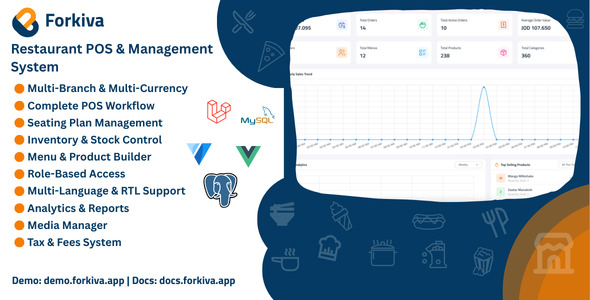
Forkiva – Complete Restaurant POS & Management System
Forkiva is a powerful, all-in-one Restaurant Management and Point of Sale (POS) solution built for modern restaurants, cafés, coffee shops, food courts, and cloud kitchens.
It combines multi-branch support, interactive floor plans, ingredient-level inventory, purchase orders, menu builder, and advanced reports — all in one customizable platform.
Developed using Laravel 12 (PHP 8.3) and Vue 3 + Vuetify, Forkiva is secure, modular, and scalable — built to handle everything from a single café to a large multi-branch chain.
Who Is It For?
- Restaurants, Cafés, and Coffee Shops
- Food Courts and Fast-Food Chains
- Cloud or Virtual Kitchens
Key Highlights
- Multi-Branch Management with Separate Settings
- Multi-Currency Support
- Full POS System with Order Types (Dine-in, Takeaway, etc.)
- Floor Plan and Table Management (Merge / Split / Transfer)
- Ingredient-Level Inventory with Auto-Deduction
- Advanced Reports and Analytics Dashboard
- Taxes, Fees, and Multi-Payment Handling
- Multi-Language (RTL Ready)
- Role-Based Access Control (7 Roles)
- Built-in Media Manager
Core Modules & Features
Branch Management
- Unlimited branches with unique configuration
- Branch-specific currencies, timezones, and payment types
- POS closing cash difference threshold control
- Super Admin and Branch Admin hierarchy
POS & Orders
- Dine-in, Takeaway, Pickup, Drive-Thru, and Catering orders
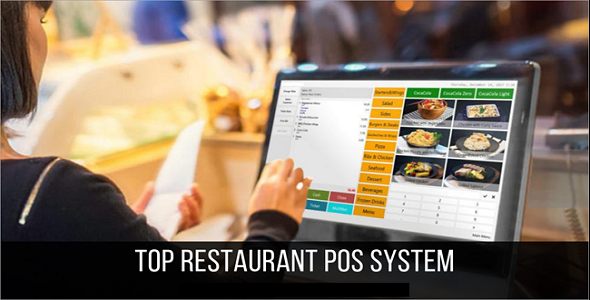
- POS Viewer with product search, categories, and cart summary
- Table Viewer with live floor and zone layout
- Merge, split, or transfer tables seamlessly
- Waiter assignment order tracking
- Kitchen Viewer for preparing and ready orders
- Cash-in and Cash-out logging with reason tracking
Seating Plan
- Floors → Zones → Tables hierarchy
- Custom table shapes, capacities, and live statuses
- Merge, Split, and Assign tables dynamically
Inventory & Purchases
- Ingredients with units, costs, and low-stock alerts
- Supplier management per branch
- Stock movements: in, out, spoil, adjust, transfer
- Purchase orders with expected vs received comparison
- Automatic ingredient deduction via recipe linkage
Menu & Product Management
- Multiple menus per branch (e.g., Breakfast, Lunch, Dinner)
- Nested, translatable categories with logos and sorting
- Products with pricing, translations, media, and tax setup
- Recipe builder with ingredient quantity and loss percentage
- Customizable product options with ingredient impact
Promotions & Loyalty
- Create promotions with Discounts and Vouchers
- Integrated Loyalty Points system for customer retention
- Customer management with purchase history tracking
Taxes & Fees
- Inclusive, Exclusive, and Compound tax structures
- Global or branch-specific configuration
- Order-type-specific tax and fee settings
Users & Roles
- Seven Roles: Super Admin, Admin, Branch Admin, Manager, Cashier, Waiter, Kitchen
- Fine-grained permission control for each module
Dashboards & Reports
- Sales overview, total revenue, and average order value
- Top-selling products and low-stock alerts
- Comprehensive reports: Sales, Payments, Taxes, Cash Flow, Ingredients
System Utilities
- Media Manager (images, documents, audio, video)
- Multi-language with full RTL support
- System Settings: App, Mail, Currency, Language, and more
- Live currency rate integration
- Authentication and detailed activity logs
Technology Stack
- Backend: Laravel 12, PHP 8.3, MySQL/MariaDB/PostgreSql
- Frontend: Vue 3, Vuetify, Vite
- State Management: Pinia
- Build Tools: Composer, NPM/Yarn
Live Demo & Documentation
Demo: https://demo.forkiva.app
Employee Dashboard: https://demo.forkiva.app/employee
HRMS Dashboard: https://demo.forkiva.app/hrms
Documentation: https://docs.forkiva.app
Qintrix Printer Agent: https://qintrix.tenvoro.app/
Test Accounts
- Super Admin: superadmin@forkiva.app |
Ff@12345678 - Admin: admin@forkiva.app |
Ff@12345678 - Branch Admin: admin_branch@forkiva.app |
Ff@12345678 - Manager: manager@forkiva.app |
Ff@12345678 - Cashier: cashier@forkiva.app |
Ff@12345678 - Kitchen: kitchen@forkiva.app |
Ff@12345678 - Waiter: waiter@forkiva.app |
Ff@12345678 - Hr Officer: hr_officer@forkiva.app |
Ff@12345678 - Hr Manager: hr_manager@forkiva.app |
Ff@12345678 - Employee: employee@forkiva.app |
Ff@12345678
What’s Included
- Laravel 12 backend source code
- Vue 3 + Vuetify frontend source code
- Step-by-step GUI Installer (no terminal required)
- Full installation and user documentation
- Postman API collection
Changelog
Version 1.9.0 – (22 Apr 2026)
Added: - System theme mode with Light and Dark options Enhanced: - HR add-on improvements: • Added dedicated panel for employees • Added mobile application support for employees Fixed: - Resolved redirect issues during user login and logout - Various minor bug fixes and stability improvements
Version 1.8.0 – (02 Apr 2026)
Added: - Qintrix direct printing integration - Private disk selection in dashboard settings - Boot data caching mechanism Enhanced: - POS cart page improvements - Overall performance improvements - Updated print template designs to better support thermal printers in 58mm and 80mm sizes Fixed: - Various system issues - Replaced the old print agent with the new Qintrix Flutter-based print agent Download: https://qintrix.tenvoro.app/
Version 1.7.0 – (11 Mar 2026)
Enhanced: - Redesigned the role permissions page for a cleaner and more intuitive experience - Expanded customer information with more detailed fields - Improved the dashboard for better usability and overall performance Added: - Ability to create customers directly from the POS screen, making customer entry faster for busy restaurants - Simple calculator in the Finalize Payment screen - Quick Pay buttons in the Finalize Payment screen with customizable amounts for each branch - Numeric keypad in the Finalize Payment screen - Multiple login support - Database backup and restore functionality - Gift card support - Gift card analytics - PWA (Progressive Web App) support - Appearance settings Fixed: - Hid the waiter selection option on the POS screen when the logged-in user is a waiter
Version 1.6.0 – (5 Mar 2026)
Enhanced: - Improved invoice validation to ensure invoice numbers are always unique Added: - Customer Orders Screen: • New screen that allows customers to view their orders Add-on: - HR management module introduced as an optional add-on
Version 1.5.3 – (7 Jan 2026)
Enhanced: - Frontend architecture refactored to a more modular structure - Updated frontend packages to improve performance, maintainability, and security Added: - Restaurant Sales Reports: • Discounts & Vouchers Report - Loyalty Overview Reports: • Loyalty Program Summary • Total Earned Points • Total Redeemed Points • Total Expired Points • System Points Balance • Redemption Rate • Average Points per Program • Points Lifecycle Timeline - Loyalty Customer Reports: • Last Loyalty Activity • Inactive Loyalty Customers • Customers with No Redemptions • Top Customers by Points - Loyalty Tier Reports: • Customers by Tier Distribution • Redemption Rate per Tier - Loyalty Rewards Reports: • Most Redeemed Rewards • Least Used Rewards • Never Redeemed Rewards • Rewards by Type • Rewards by Tier • Rewards by Program - Loyalty Gifts Reports: • Available Gifts • Used Gifts • Expired Gifts • Gift Usage Rate • Unused Gifts per Customer - Loyalty Redemptions Reports: • Redemptions by Status • Redemptions by Program • Average Points per Redemption - Loyalty Promotions Reports: • Active Promotions • Expired Promotions • Promotion Usage • Highest Impact Promotions • Bonus vs Multiplier Comparison • Category Boost Promotions • New Member Promotions - Loyalty Financial & ROI Reports: • Average Order Value (Loyalty Customers) • Revenue from Loyalty Customers • Revenue Before vs After Loyalty • Free Items Cost Fixed: - Resolved issue with expired loyalty points not being processed correctly - Fixed folder deletion to ensure all nested images and subfolders are removed - Prevented adding sub-categories without an active parent category - Corrected print template logo rendering issues - Fixed discount and voucher category selection logic - Resolved category tree selection inconsistencies
Version 1.5.2 – (24 Dec 2025)
Fixed: - Fixed: POS screen behavior for the user-assigned branch.
Version 1.5.1 – (23 Dec 2025)
Enhanced: - Added the ability to change the application logo directly from Dashboard Settings - Improved Kitchen View performance with optional automatic refresh functionality Added: - Kitchen View: • Auto-refresh feature configurable from Dashboard Settings • Manual enable/disable control for auto-refresh to optimize performance based on operational needs Fixed: - Resolved multiple minor issues to improve overall system stability and reliability
Version 1.5.0 – (22 Dec 2025)
Enhanced: - Completely redesigned POS screen for improved usability, clarity, and performance - Redesigned order payment flow to be simpler, faster, and more intuitive - Fully restructured printing architecture to improve efficiency, flexibility, and printer compatibility Added: - Invoicing: • Tax Invoice generation for completed orders • Credit Note generation for refunded orders • Branch-based invoice QR codes: Saudi-origin orders include Zakat-compliant QR; other branches include the online invoice link - Printing: • Desktop Print Agent built with Node.js for professional local printer management • Support for assigning and managing different printer types via the print agent • Direct print option from active POS orders • Browser-based print and print preview for active POS orders • Print and print preview for completed orders Fixed: - Resolved various minor issues and stability improvements across the POS and printing workflow
Version 1.4.0 – (8 Nov 2025)
Enhanced: - Ability to assign printers to specific POS registers for more flexible printing control - Improved POS cart experience for faster and smoother item handling - Enhanced profile management — users can now update their own profile information (with permission) Added: - Reports: • Categorized Products Report • Upcoming Orders Report • Cost & Revenue Report by Order • Cost & Revenue Report by Product - POS Features: • Edit existing orders directly from the POS interface • SKU field added for products - Customer Management: • Manage Customer module to view, add, and edit customer details - Promotions & Loyalty: • Promotions system including Discounts and Vouchers • Loyalty system introduced to reward returning customers - Account Management: • Option to update password from the user profile page Fixed: - Resolved an issue where the kitchen ticket would not print when the order status was not set to "Preparing"
Version 1.3.0 – (29 Sep 2025)
Enhanced: - Redesigned POS layout for cleaner UI and improved usability - Enhanced Kitchen screen for better visibility - Optimized mobile login screen layout Added: - New payment methods: Bank Transfer and Mobile Wallet - Support for partially paid orders (multi-payment) - New order types: Drive-Thru, Pre-Order, Catering Features: - Drive-Thru: Optional car_plate and car_description fields - Pre-Order: Scheduled datetime and upcoming orders tab - Catering: Large scheduled orders with metadata
Version 1.2.0 – (23 Sep 2025)
Added: - PostgreSQL database support
Version 1.1.0 – (22 Sep 2025)
Added: - Stock Movements Viewer for inventory tracking - Online Menu for public product browsing - Multiple Printer Support (Role-based) Fixed: - Hidden inactive category products on POS - Timezone and redirect issues after login - Waiter POS logic corrections
Version 1.0.0 – Initial Release (19 Sep 2025)
- Multi-branch and multi-currency support - POS system with dine-in, takeaway, pickup - Seating plan with floors, zones, merge/split tables - Inventory and ingredient management with stock movements - Menu builder with recipes, categories, and options - Roles, permissions, dashboards, media, and settings
Support
Need help or custom features? Contact us through our profile page. We provide fast and friendly support.
Forkiva — Manage Your Restaurant. Simplify Everything.
What's Your Reaction?
 Like
0
Like
0
 Dislike
0
Dislike
0
 Love
0
Love
0
 Funny
0
Funny
0
 Angry
0
Angry
0
 Sad
0
Sad
0
 Wow
0
Wow
0