




























Employee Monitoring Module For Worksuite CRM
Employee Monitoring Module For Worksuite CRM Give your Worksuite CRM installation real-time visibility into how your remote and in-office teams actually work. T

Employee Monitoring Module For Worksuite CRM
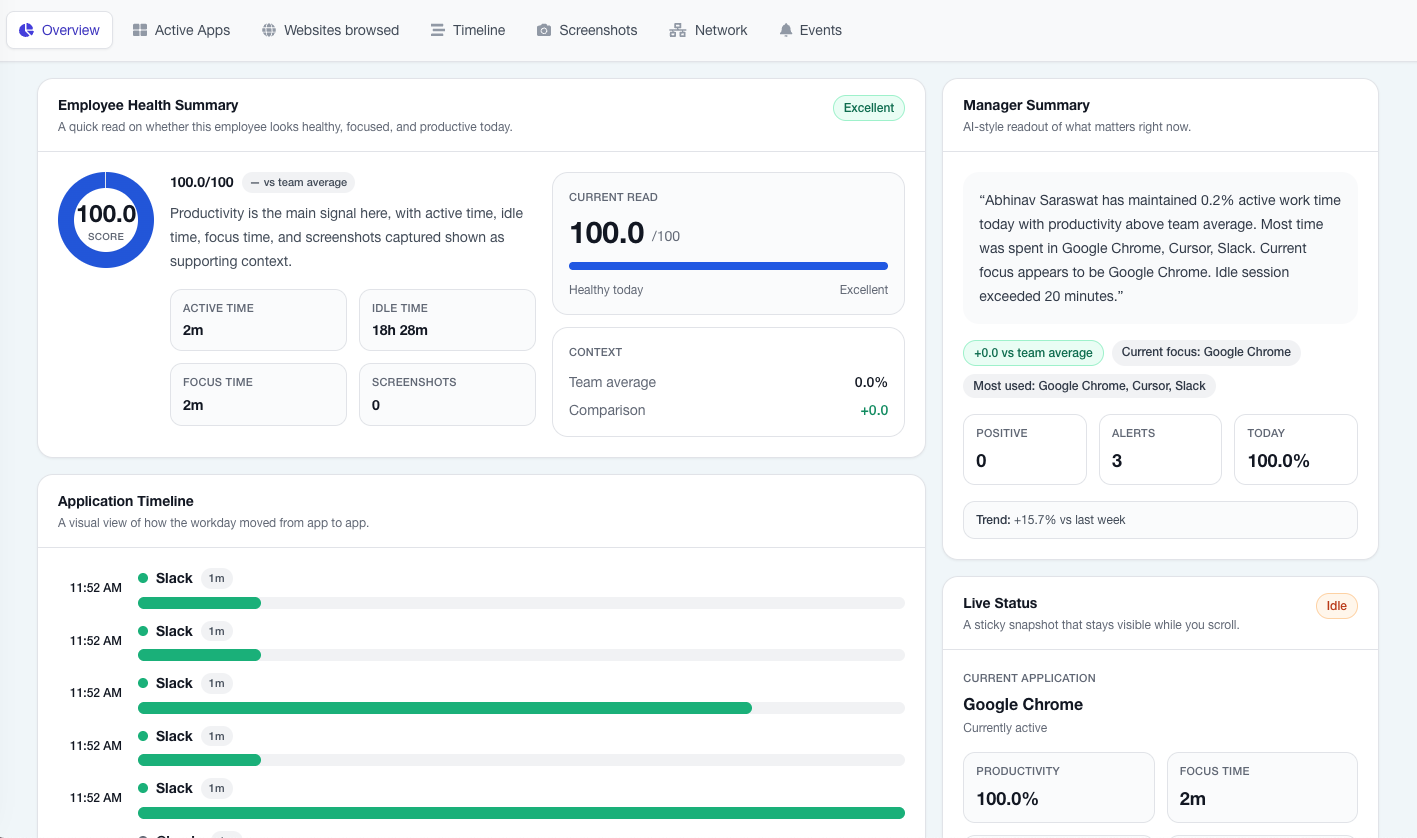
Give your Worksuite CRM installation real-time visibility into how your remote and in-office teams actually work. This module adds a complete employee monitoring layer on top of Worksuite — screenshots, app & website usage, keyboard/mouse activity, idle detection, and task-level time tracking — all surfaced in a manager dashboard built natively into your existing Worksuite panel.
Note: This Module is not a standalone product and is only compatible with Worksuite
No separate monitoring tool, no separate login, no exporting data between systems. Your HR and project managers get monitoring insights right next to attendance, payroll, and project data they already manage in Worksuite.
What This Item Includes
This CodeCanyon item is the Laravel server module that installs into your existing Worksuite CRM codebase. It includes:
- Complete manager/HR web dashboard (Blade + Tailwind, matches Worksuite’s existing UI)
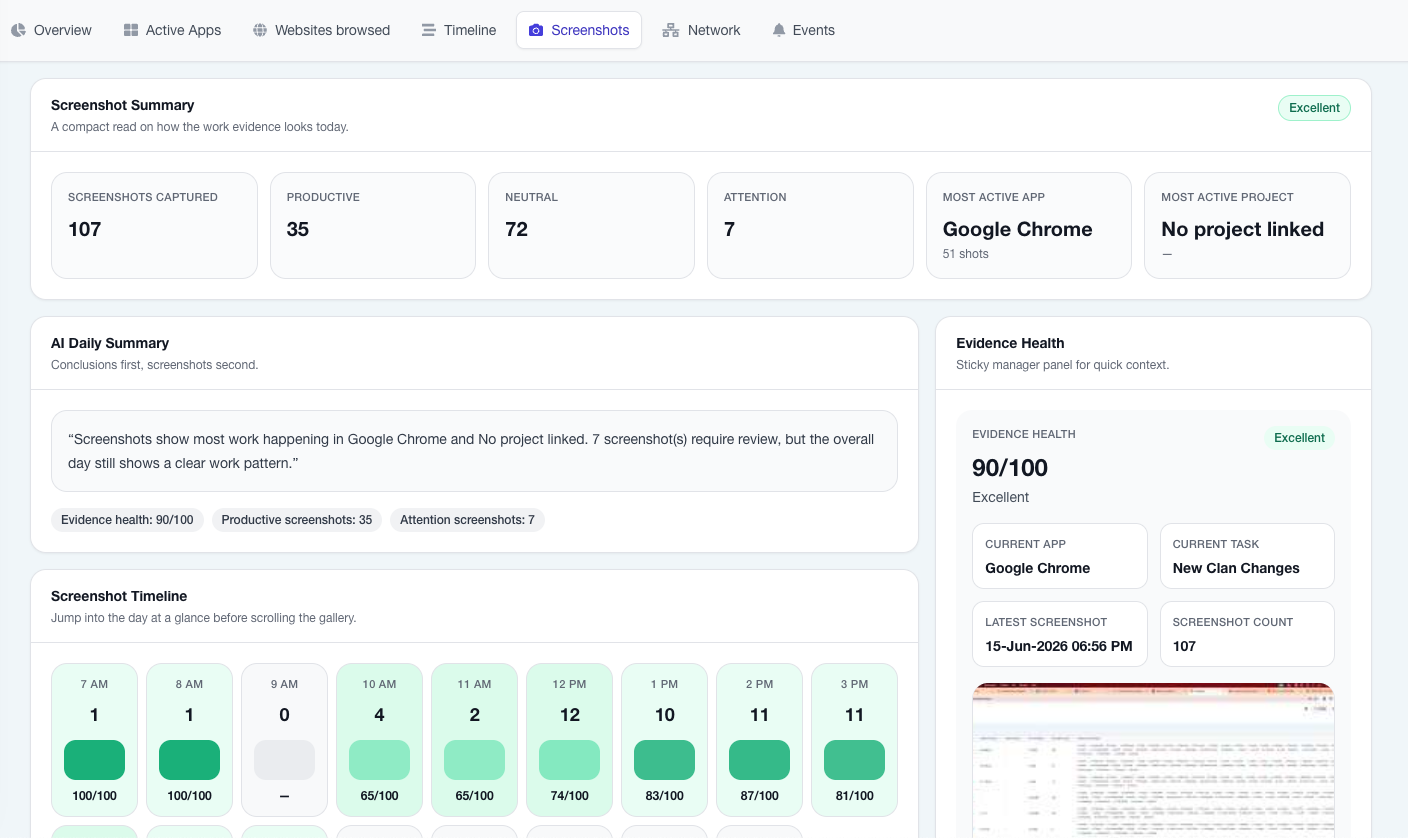
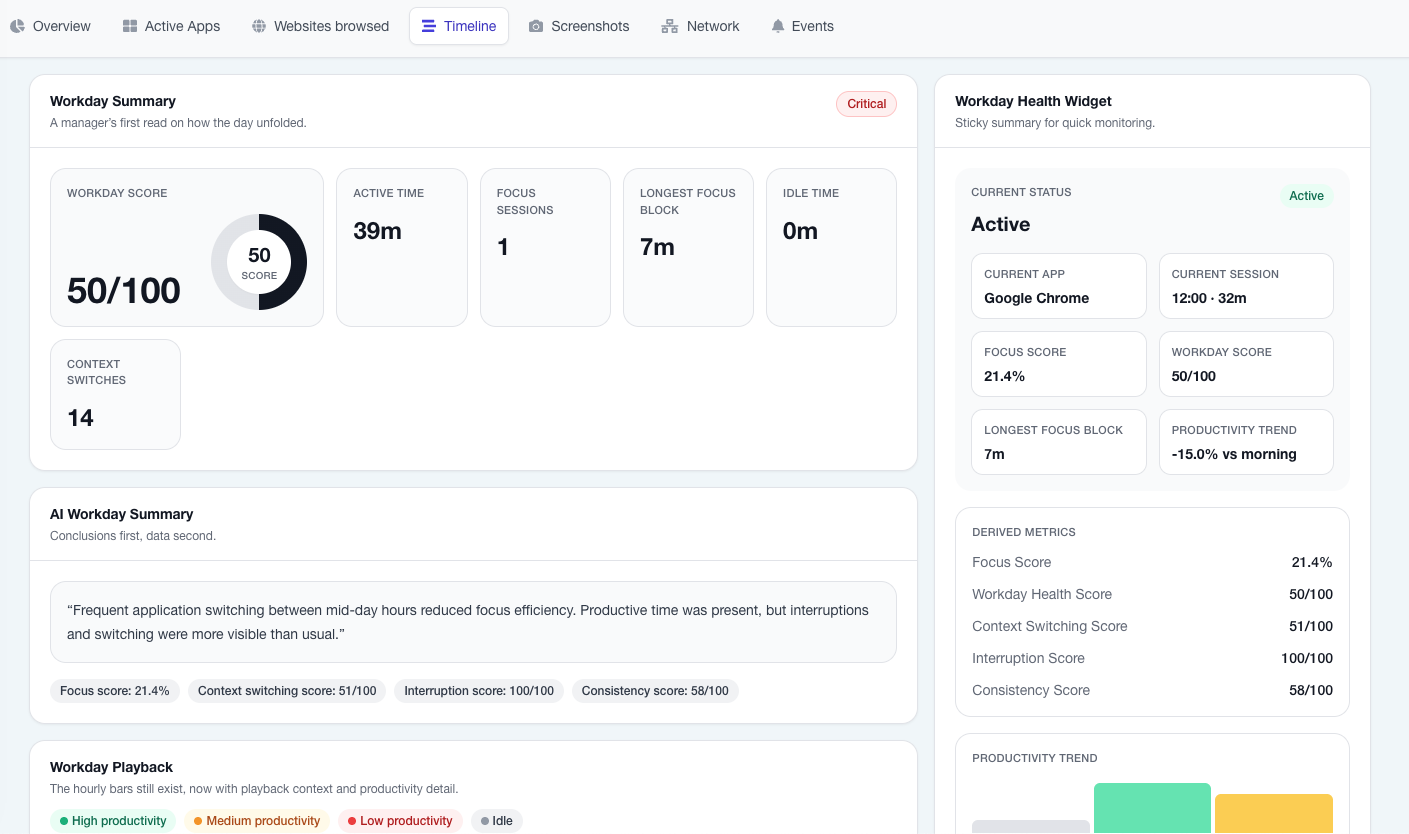
- Live activity monitoring, screenshots, timeline, and idle tracking views
- 8 built-in analytics reports (see below)
- Full REST API module for agent communication — latest version, covering authentication, config sync, activity/screenshot ingestion, pause/resume, task timers, and employee-facing endpoints
- App & website productivity classification engine with admin-managed rules
- Database migrations, seeders (~300 pre-classified apps/sites), and queued background jobs for nightly scoring and classification
Important — please read before purchasing: This item is the server-side Laravel module only. The desktop monitoring agent (the lightweight app installed on each employee’s Windows/macOS computer that actually captures activity and syncs it to this module) is sold separately. This is because each agent installer must be built with your server URL embedded directly into it at build time — it cannot be a generic download. See the “Desktop Agent” section below for details.
Key Features
- Live team dashboard — see who’s online, idle, or offline in real time
- Screenshots — configurable capture interval, thumbnail previews, cloud storage support (S3/R2 compatible)
- App & website tracking — automatic productivity classification with favicon/app-icon display
- Keyboard & mouse activity — activity-level windows without keystroke logging content
- Idle detection — automatic idle flagging with configurable thresholds
- Task time tracking — employees start/stop timers against Worksuite tasks and projects directly from the agent
- Pause & resume — employees can pause monitoring with a logged reason (breaks, personal time)
- Policy compliance & alerts — tamper detection, USB events, large upload flags
- Configurable per-organization rules — override global productivity rules per company
8 Built-In Analytics Reports
- Daily productivity score
- Work pattern heatmap
- Idle pattern analysis
- Team productivity ranking
- Department efficiency
- Policy compliance rate
- Project time distribution
- App & website usage breakdown (with logos)
REST API Module (Latest Update)
The module ships with a complete, up-to-date REST API that any compatible desktop agent can integrate against:
POST /api/agent/login— agent authenticationGET /api/agent/config— monitoring configuration syncPOST /api/agent/heartbeat— online/offline/idle statusPOST /api/agent/screenshots— screenshot uploadPOST /api/agent/activity— app/URL usage logsPOST /api/agent/activity-windows— keyboard/mouse activity windowsPOST /api/agent/network— network usage summariesPOST /api/agent/events— tamper/USB/security eventsPOST /api/agent/pause/POST /api/agent/resume— pause trackingGET /api/agent/employee/timeline,/scores,/screenshots— employee-facing dataGET /api/agent/tasks/POST /api/agent/time-logs— task time tracking
Full endpoint documentation with request/response examples is included in the package.
Desktop Agent (Sold Separately)
Once this module is installed, employees need a lightweight desktop app to capture and sync activity data to it. Because each installer is compiled with your Worksuite server URL and branding embedded at build time, the desktop agent cannot be distributed as a one-size-fits-all download — it must be built per installation.
The desktop agent (Windows & macOS, with white-label branding support) is available as a separate purchase. Contact us after purchasing this module for desktop agent licensing and your custom build.
| Platform | Desktop Agent Support |
| Windows 10 / 11 (64-bit) | Supported |
| macOS 11+ (Intel & Apple Silicon) | Supported (Universal binary) |
| Linux | Supported |
Click to Place order for Desktop agent App
Requirements
- An existing licensed Worksuite CRM installation
- PHP 8.1+
- MySQL 5.7+ / MariaDB
- Queue worker configured (for nightly scoring & classification jobs)
- S3-compatible storage recommended for screenshot storage (not required)
Why Teams Choose This Module Over Standalone Monitoring Tools
- Monitoring data lives next to attendance, payroll, and project data — no second dashboard, no data exports
- Work pattern heatmap and app-logo-based usage views not found in most standalone tools
- One-time module purchase instead of recurring per-user USD subscriptions charged by international monitoring SaaS products
What's Your Reaction?
 Like
0
Like
0
 Dislike
0
Dislike
0
 Love
0
Love
0
 Funny
0
Funny
0
 Angry
0
Angry
0
 Sad
0
Sad
0
 Wow
0
Wow
0