






































![HUSKY - Products Filter Professional for WooCommerce [former WOOF Filter]](https://previews.customer.envatousercontent.com/files/469342547/husky590-min.jpg)





Woocommerce Mailchimp Discount
Woocommerce Mailchimp Discount helps you to easily make your MailChimp list healthy by providing a one time discount when someone subscribes to your mailchimp l
Woocommerce Mailchimp Discount helps you to easily make your MailChimp list healthy by providing a one time discount when someone subscribes to your mailchimp list. This plugin automatically adds a MailChimp subscription popup to your website which can be used to capture the Emails and when the user successfully subscribed to your list then he gets a coupon code.
Whenever a new user signups for your newsletter the plugin automatically generates a coupon code based on the admin settings and email it to the registered email id.
Checkout MailChimp Discount Addon
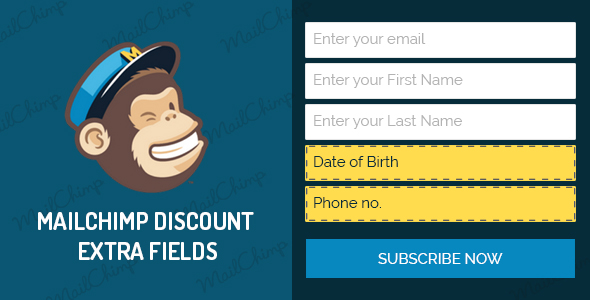
Its proven that this plugin helps you grow your newsletter signup by 25 – 50%.
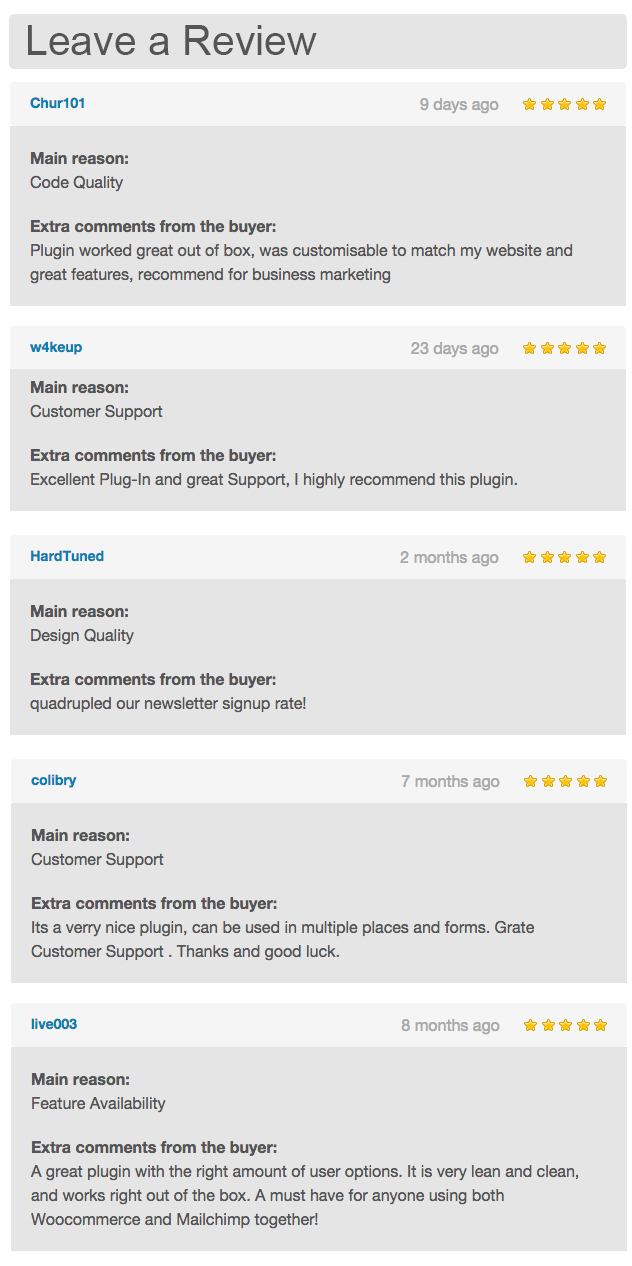 Leave a Review
 Features
- Powerful admin backend to customize the plugin.
- Easily setup discount for newsletter signups.
- Double optin to have only valid users receive the coupon.
- Ability to restrict the coupon to the registered email id only.
- Automatically generates unique coupons for each signup.
- Ability to set a coupon prefix so that you can easily recognise the coupon generated through the plugin.
- Ability to define a custom length for the coupons that gets generated through the plugin.
- Uses native woocommerce coupon system to generate the coupons.
- Uses woocommerce native template to send email for the coupon code if using woocommerce 2.3.x.
- Exit intent to display the popup.
- Customizable shortcode support, which allows you to put add the form on any page/post or widget.
- Ability to add multiple forms on same page and use shortcode alng with the popup feature.
- Admin option to change the cookie length for popup display.
- Admin option to disable popup and have the signups only as widgets.
- Easily customize the look and feel of the popup to match your site’s design.
- Allows you to show form fields as per your needs.
- Creates a different unique coupon each time a user sign up for newsletter.
- Easily select and setup coupon for specific products or categories.
- Easy to exclude specific products and categories from the discount.
- Ability to exclude discount on sales items.
- Allows you to define a coupon validity in number of days from the date of registration.
- Ability to change the email from name and address.
- Ability to define a minimum and maximum purchase limit in order to be able to use the coupon.
- Allows you to customize the coupon code email and subject from the admin panel.
- Allows you to use enter predefined variables on the email body and email subject.
- Allows you to display a popup for the mailchimp signup form.
Shortcode Settings
You can use[wc_mailchimp_discount]shortcode to use the mailchimp discout form on your page/post/widget etc.
Please find the list of variables you can use with shortcode.
| Variable | Description |
|---|---|
width | Define a width for the signup form. Possible values: 100px, 100%, 500px etc. Usage: [wc_mailchimp_discount width="400px"] |
align | Set the alignment for the signup form. Possible values: left,right and center. Usage: [wc_mailchimp_discount align="center"] |
layout | Define the layout for the form. Possible values are horizontal and vertical. The default value is vertical. Usage: [wc_mailchimp_discount layout="horizontal"] |
btn_width | Set width for the subscribe button. Possible values: 100px, 429px, 100%, 69% etc. Usage: [wc_mailchimp_discount btn_width="300px"] |
btn_align | Set the alignment for the subscribe button. Possible values: left,right and center. Usage: [wc_mailchimp_discount btn_align="right"] |
top_text | Define a text that would appear on top of the form. Usage: [wc_mailchimp_discount top_text="Subscribe to our newsletter and win discount"] |
top_text_color | Set a text color for the top text. Usage: [wc_mailchimp_discount top_text_color="#ffcc00"] |
You can combine any of the shortcode variables and create different type of forms. Check some examples below:
[wc_mailchimp_discount width="400px" align="center" btn_width="100%" texttop_text_top="Signup for newsletter" top_text_color="#333333"]
Checkout our other plugins
Changelog
Version: 4.1(28th Feb 25) * Fixed: Email notification issue Version: 4.0(4th Nov 23) * Fixed: Mailchimp list fetching issue. * Fixed: Popup form subscription issue. Version: 3.9 * Fixed: Exclude product fatal error issue. * Added: readme file. * Code indentation Version: 3.8(14th Nov 20) - bug fixed optin option - bug fixed for coupon options Version 3.7(2nd April 20) - Issue fixed Coupons exceeding the limit - Added aria-labeled by to the subscribe form Version 3.6(20th Feb 20) - Added new admin dashboard design - Add product variations in the coupon - Fixed mail issue when the user has been subscribed - Fixed popup overlay opacity issue - Added error notice when api key has not been setup Version 3.5(10th September 19) - Fixed MailChimp merge tags with languages - Fixed issue with WPML shortcode content Version 3.4(6th September 19) - Added functionality for Mailchimp API validation - Get Mailchimp audience id automatically - Add webhook automatically - Add option to show popup on selected pages - Added filter hook for extra fields - Added functionality where admin can set whether to use existing coupons or create coupons dynamically - Fixed test email feature - Fixed shortcode css issue - Added bunch of new animations for the popup - Fixed coupon roles issue Version 3.3(17th Dec 18) - Fixed issue for selected category in the coupons Version 3.2(10th Nov 18) - Added option for php mail when wp_mail and woocommerce mailer doesn't work - Added ajax option to get products and exclude products option Version 3.1(11th Oct 18) - Added option for send coupons to user roles Version 3.0(9th Oct 18) - Added options frameowork for the plugin settings - added hooks for custom fields Version 2.8(6th Sep 18) - Issue fixed for email from name and email from - Made sanitise user inputs - Fixed Coupon validation with WooCommerce 3.4 Version 2.7(4th Sep 18) - Fixed Coupon validation with WooCommerce 3.4 Version 2.6(10th Aug 18) - Fixed issue for email id compare when restrict email option is enabled Version 2.5(14th May 18) - Made functionality to add message for invalid email id from plugin settings Version 2.4(8th May 18) - Made functionality for timer to set redirect to another page after successfull redirect - Optimized code Version 2.3(30th April 18) - Made functionality for redirect to another page after successfull redirect - Fixed compatibility issue for latest version of wordpress and woocommerce - fixed issue for sending confirmation email from mailchimp even user is already register - Optimized code for faster loading Version 2.2(9th Dec 17) - Fixed compatibility issue for categories with WooCommerce 3.2.5 and WordPress 4.9 - added functionality where admin can show/hide checkbox like terms and condition in the frontend - added functionality for admin to set checkbox text label for the checkbox - added functionality for admin to set error message for checkbox validation - added functionalty where admin can set color for checkbox label text Version 2.1(12th April 17) - Fixed compatibility issue with WooCommerce 3.0.0 - Mailchimp source signup merge fields added - Added feature for mailchimp signup success text color, background color - Added feature for mailchimp signup error text color, background color - Added feature for enable/disable popup on mobile device Version 2.0.2(15th March 17) - Mailchimp API 3.0 implemented - Language merge vars added from code - Show coupon code on response in single optin Version 2.0.1(12 JULY 16) - Fixed compatibility issues with WooCommerce 2.6.x. - Fixed shipping issue for this plugin Version 2.0 (22 JUNE 16) - Fixed compatibility issues with WooCommerce 2.6.x. - Fixed translation issues. - Fixed issues with email body formatting. - Added option to translate admin option texts using WPML. Version 1.9 (9 MARCH 16) - Fixed issue with source merge tag. - Added check for existing emails on mailchimp from other sources. - Added admin option to enable popup only on homepage. - Added admin option to specify an email as a test email. Version 1.8.1 (28 JAN 16) - Fixed incompatibility issue with woocommerce 2.5.x Version 1.8 (22 DEC 15) - Added ability to trigger the popup using any button or link. - Added ability to turn off discount feature and use it as a simple mailchimp subscription. Version 1.7 (15 OCT 15) - Updated popup from custombox to magnific popup. - Updated popup animation list. - Added option for hinge close effect. - Added option to specify color for the close button. - Added option to close popup on overlay click. - Added option to automatically close popup on successful subscription. - Added option to only allow the logged in user to apply the coupon code if the coupon is restricted to only subscribed user. - Bug Fix: Exit Intent issue. - Bug Fix: Popup html output on latest version of WooCommerce. Version 1.6 (21 SEPT 15) - Added ability to restrict email. - Added ability to change coupon expiry date format from admin. - Bug Fix: Minimum discount. - Bug Fix: Double optin multiple coupons. Version 1.5 (26 AUG 15) - Added support for double optin. - Added option to set a coupon prefix for the coupon codes generated through the plugin. - Added option to set the coupon length. Version 1.4 (05 MAY 15) - Added source merge tag to segment list based on merge tag. - Added support for lower version of php Version 1.3 (29 MAR 15) - Added WooCommerce 2.3.x support. - Added support for WooCommerce mailer to send emails if using WooCommerce 2.3.x. - Added exit intent option for the popup display. Version 1.2 (15 FEB 15) - Fixed issues with internet explorer. - Added layout support to the shortcode. Version 1.1 (09 FEB 15) - Added shortcode support. - Added admin option to define cookie length. - Added admin option to disable the popup. Version 1.0 (01 FEB 15) - Initial public release.
What's Your Reaction?
 Like
0
Like
0
 Dislike
0
Dislike
0
 Love
0
Love
0
 Funny
0
Funny
0
 Angry
0
Angry
0
 Sad
0
Sad
0
 Wow
0
Wow
0