





















































WebTube Rank | YouTube Views Bot and SEO Organic Website Traffic Windows App
WebTube Rank is a website traffic software that provides unlimited organic traffic to your website. It takes care of all the security measures require



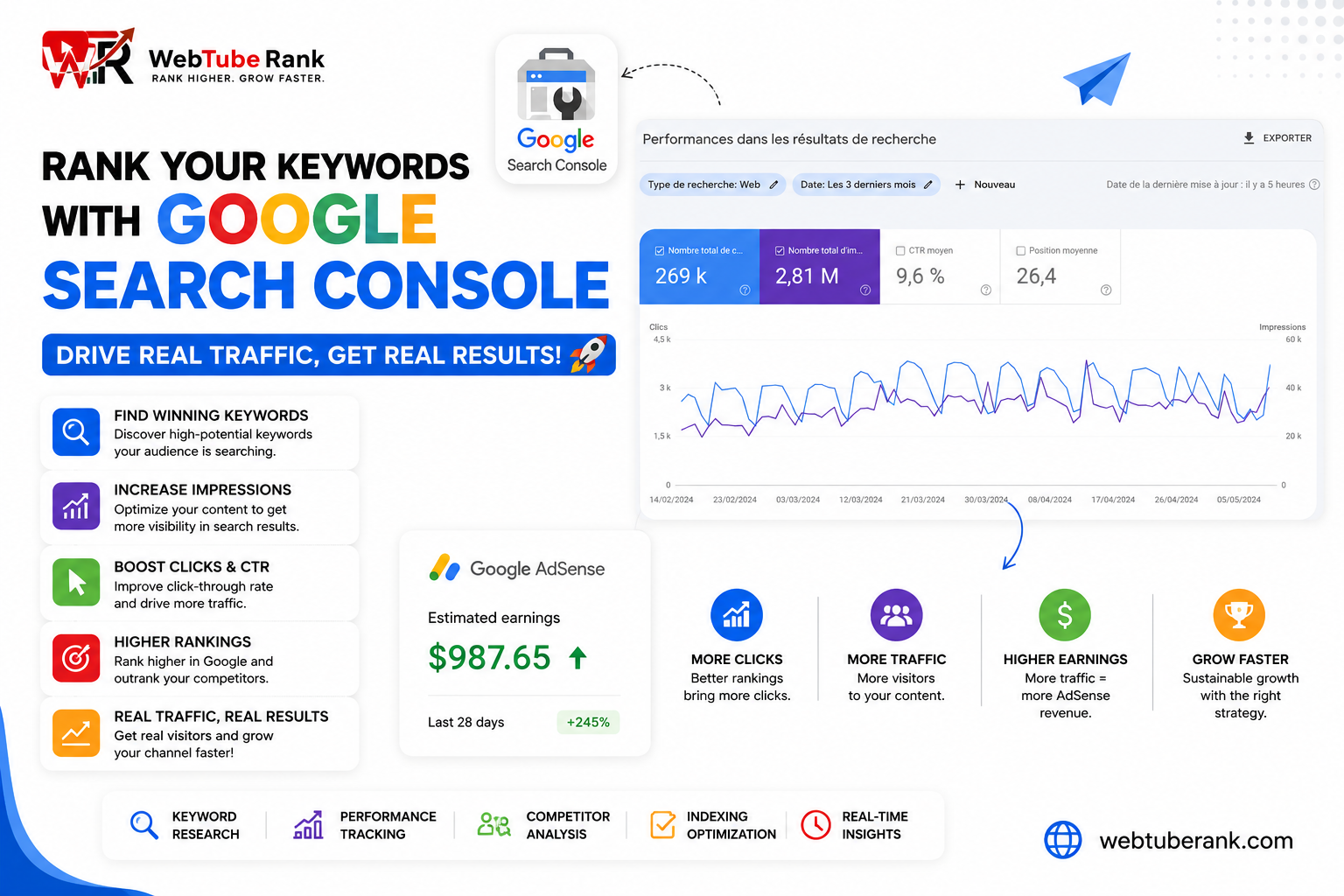
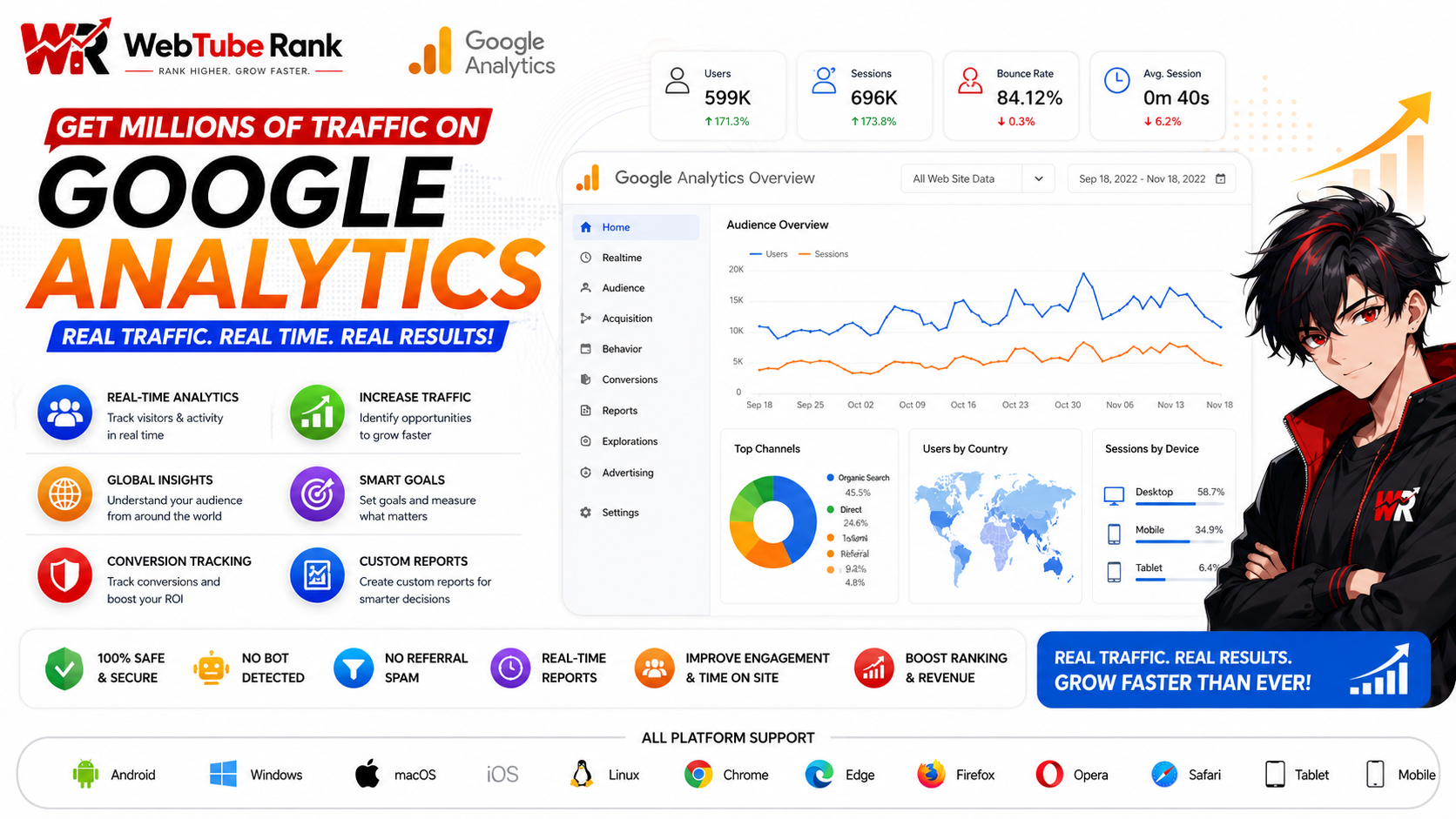

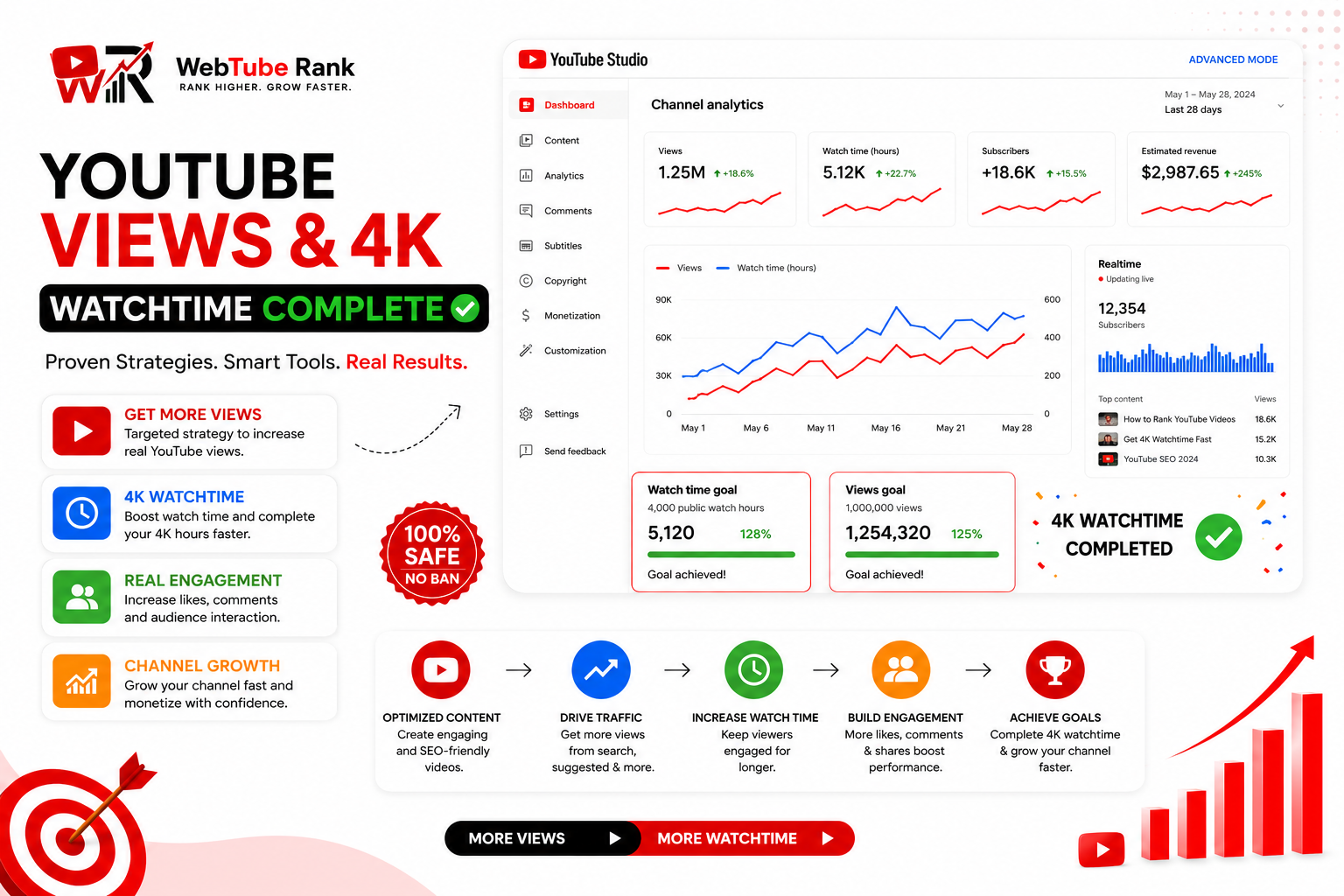
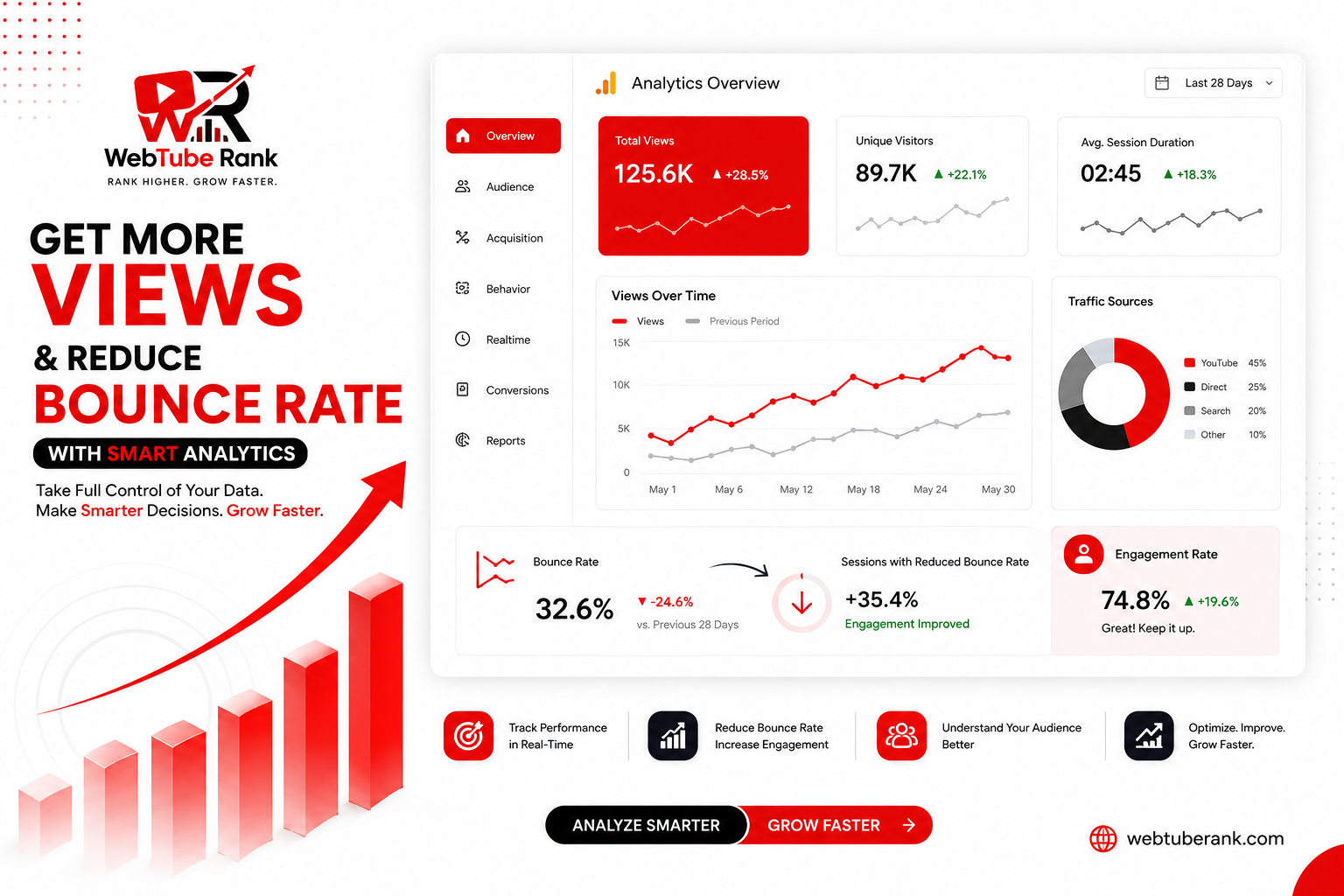
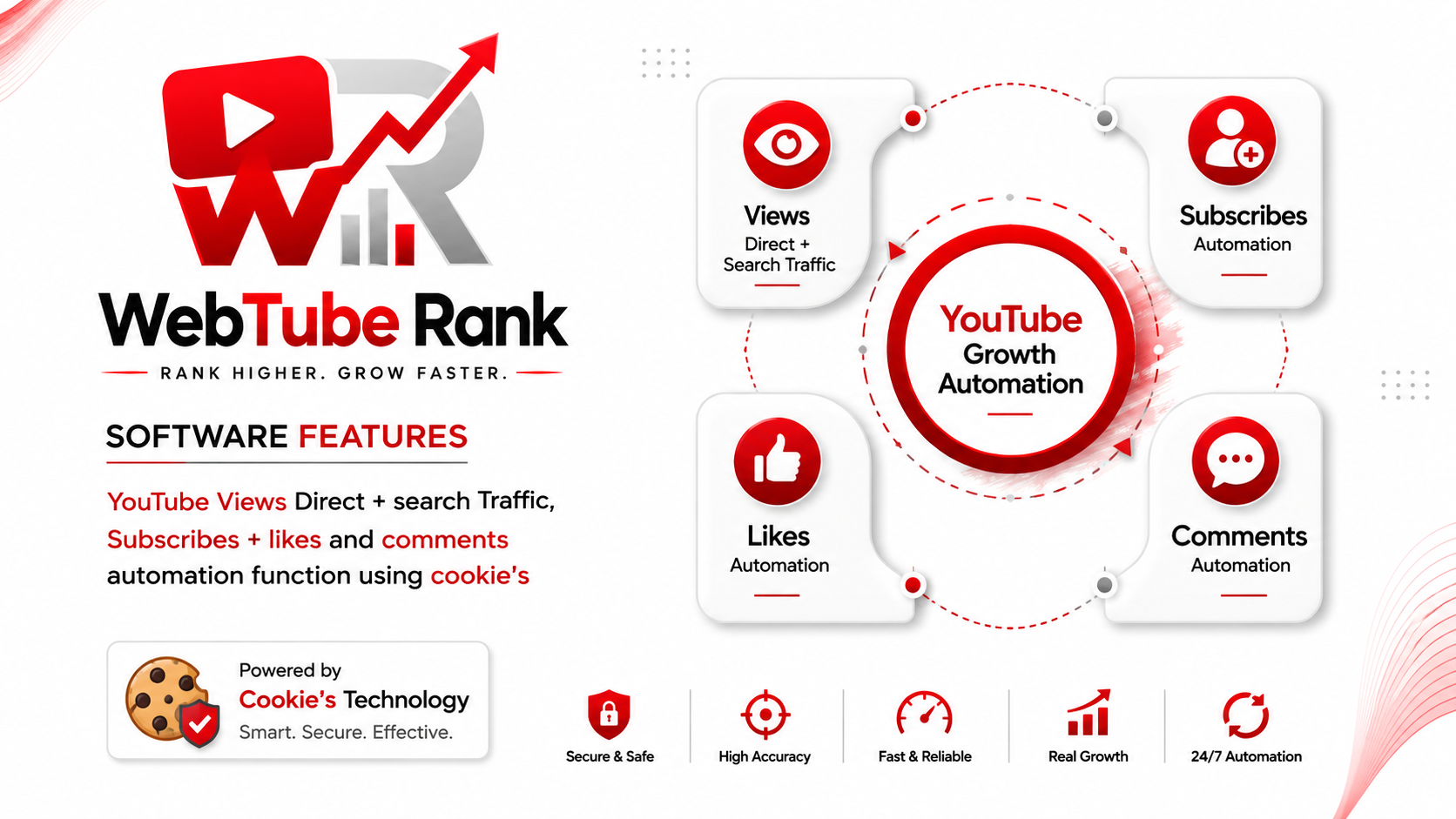
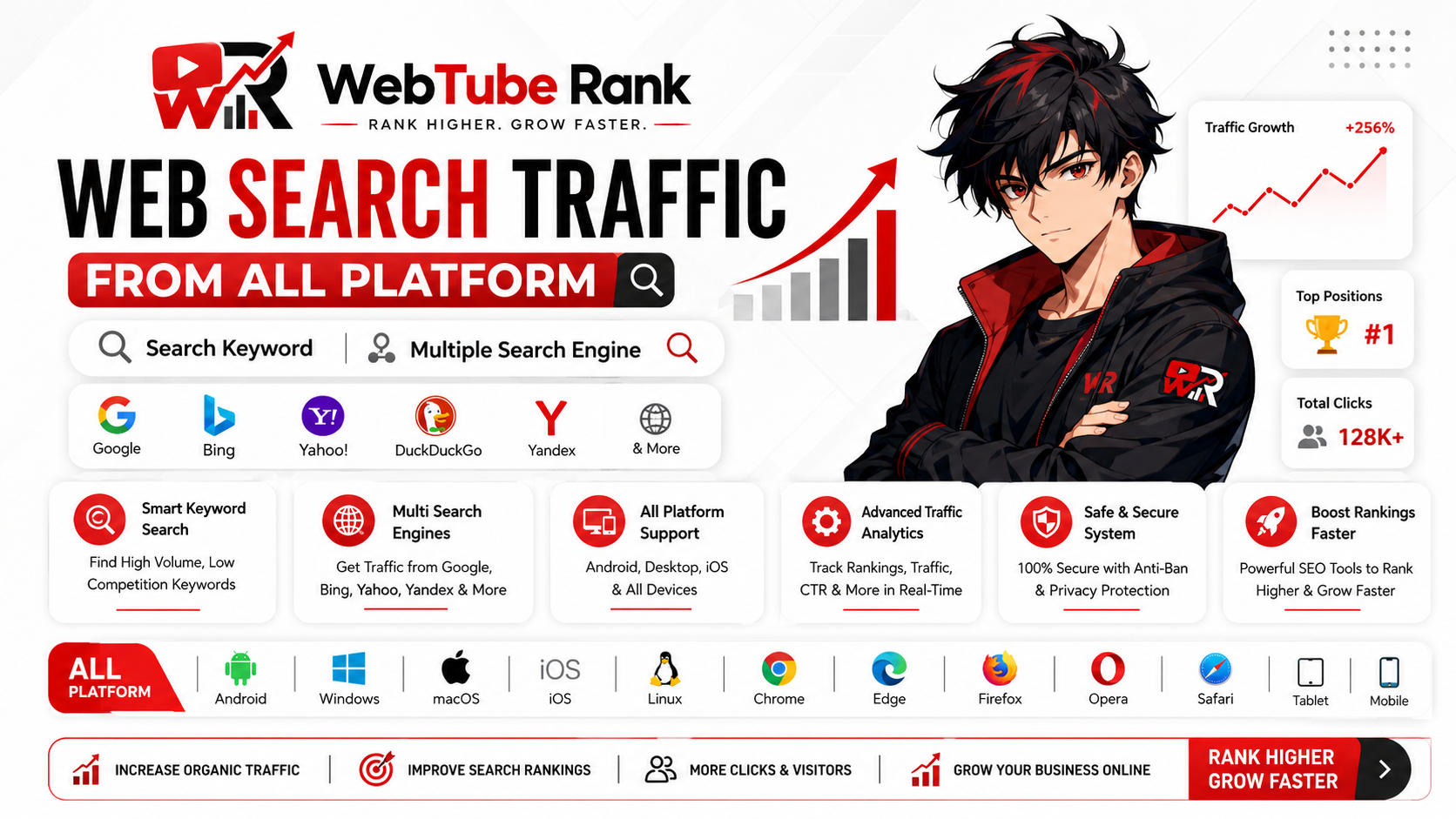
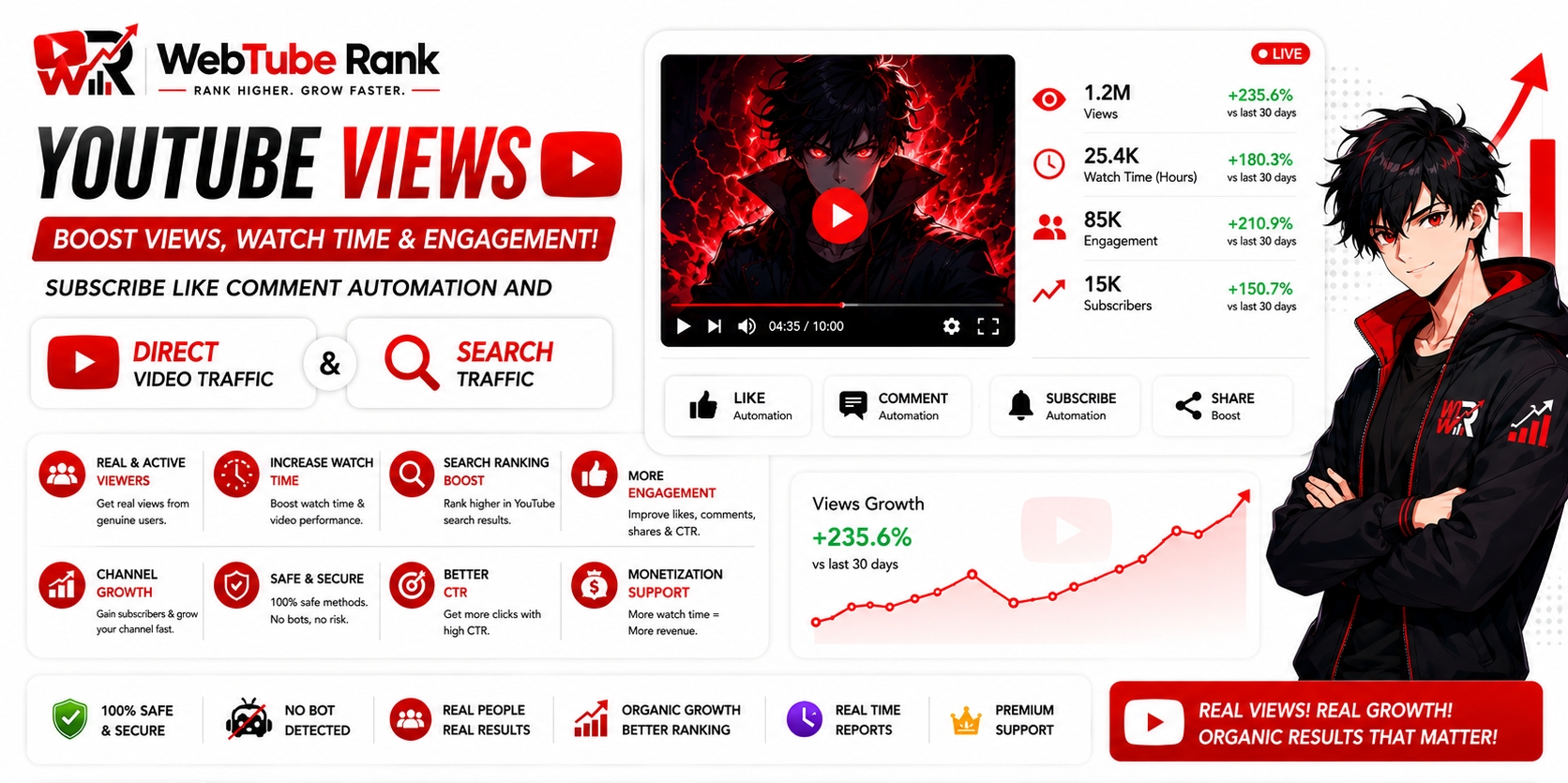
WebTube Rank is a website traffic software that provides unlimited organic traffic to your website. It takes care of all the security measures required for safe browsing.
Traffic bot ensures security by using Proxies, User Agents, Cookies, organically human-like scrolling on page, internal page navigation and tons of more features. Each browser window visits your target URLs as a unique user with a different browser identity, fingerprint, and optionally a different IP address through proxy support. 
Why Our Software Is Unique
Software is unique and different from other software because it includes powerful new features, making it the best and most advanced solution available.
Key Benefits
- Complete Analytics Transparency: All traffic generated appears clearly in Google Analytics and Google Search Console.
- Search Engine Ranking Boost: Extremely beneficial for ranking your product or website on all major search engines, including Google, Bing, and Yahoo to improve visibility and organic reach.
- Social Media Traffic System: Redirects safe, high-quality traffic from major social platforms while keeping user accounts fully protected.
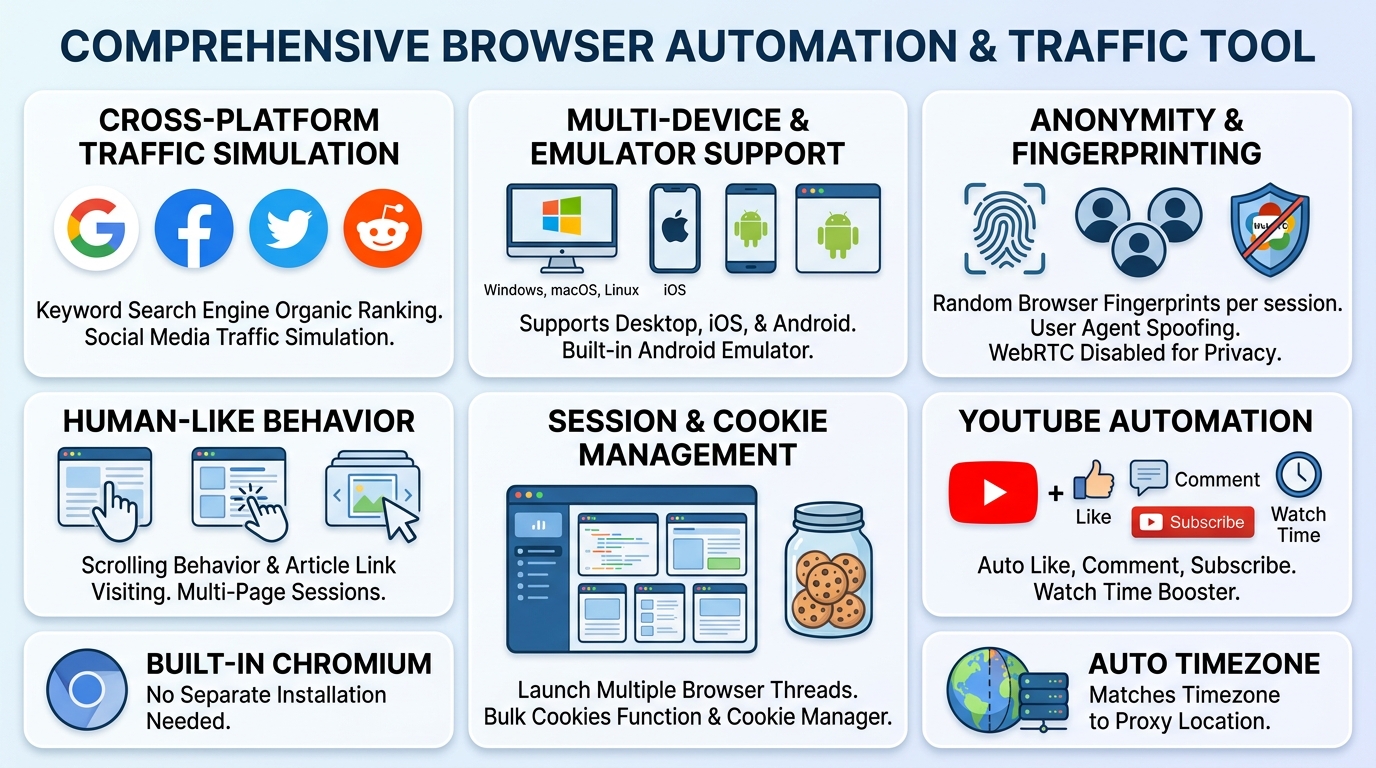
Main Features Overview
- Keyword Search-Engine Organic Ranking Traffic
- Android Emulator & Multi-Device Support (Desktop, iOS, Android)
- Bulk Cookies Function & Cookie Manager
- Social Media Traffic Simulation
- Launch multiple browser threads simultaneously
- Random browser fingerprints for each session
- User agent spoofing (Windows, macOS, Linux, Android, iOS)
- Human-like scrolling behavior & Article link visiting (multi-page sessions)
- Auto timezone matching based on proxy location
- Built-in Chromium browser (no separate installation needed)
- WebRTC disabled by default to prevent IP leaks
- YouTube Automation: Auto Like, Comment, Subscribe & Watch Time Booster
Core Modules & Functions
1. Dashboard – All-in-One Control Panel
The Dashboard is the main control panel of the software. From here you can monitor everything in real time and control all automation with a single click. It shows how many browser threads are created, active, or completed. You can start automation via Start Auto Browser, stop immediately with Stop All Threads, reset using Clear All Threads, or quickly adjust settings through the Configure button. Thread count, delay, and timeout duration can also be managed directly from here.
2. YouTube Engagement & Automation Engine
Advanced YouTube automation capabilities designed to boost engagement and channel growth naturally:
- Keyword Video Discovery: Search and find target YouTube videos automatically using specific keywords to simulate organic search views.
- Automated Channel Engagement: Perform automated Subscribe, Like, and Random Commenting actions to increase session interaction.
- Watch Time & Quality Control: Customize video watch duration and adjust playback resolution/quality settings to optimize bandwidth and session metrics.
3. Traffic Sources & Visitor Simulation
WebTube Rank supports three distinct traffic source types to keep analytics natural:
- Social Traffic: Simulates visits coming from Facebook, Twitter, Instagram, and LinkedIn.
- Custom Link: Sends direct traffic to any target URL specified.
- Keyword Organic Traffic: Generates search engine traffic using target keywords with real mouse click simulation across Google, Bing, Yahoo, Brave, DuckDuckGo, Yandex, Baidu, and Custom search engines.
4. Configuration & Engagement Settings
Full control over thread limits, launch delays, thread lifespan timeouts, and automatic retry attempts. Manage target URLs effortlessly (add/remove multiple URLs with automatic thread distribution).
- Human-like Scrolling: Moves naturally through pages with pauses and variable speed to mimic human reading, improving session quality metrics.
- Article Visiting: Clicks internal links and explores sub-pages to boost pages-per-session and average session duration.
5. Cookie Manager
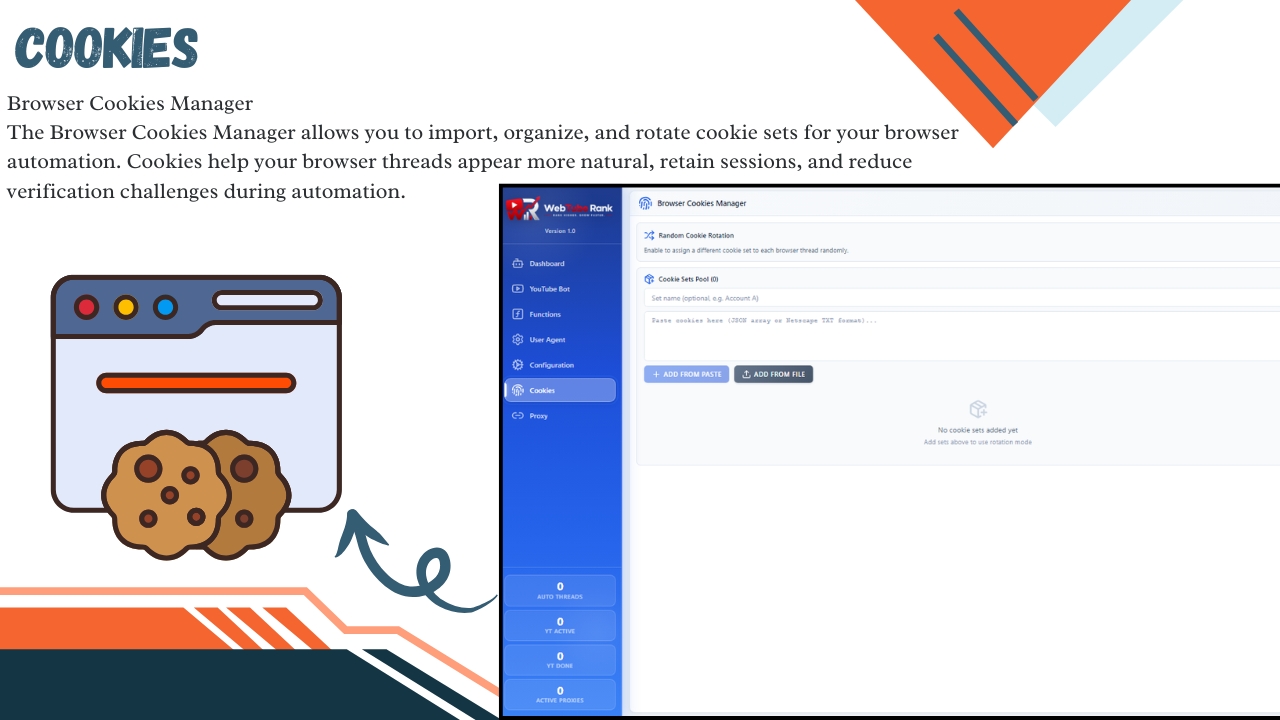
Manage and organize multiple browser cookie sets (via text paste or TXT/JSON file uploads) to maintain session continuity and simulate authentic user behavior. Includes Random Cookie Rotation to automatically distribute cookie pools across threads.
6. Fingerprint Management & User Agent Spoofing
Automatically generates dynamic, realistic browser fingerprints tailored to selected OS environments (Windows, macOS, Linux, Android, iOS). WebRTC is permanently disabled to prevent IP leaks through proxies. Built-in Chromium engine eliminates external browser dependencies.
WEBTUBE RANK
WebTube Rank is a powerful desktop automation tool designed to help website owners, digital marketers, and YouTube content creators drive targeted traffic to their web pages and YouTube videos.
By simulating browser sessions and configurable browsing behavior, WebTube Rank provides an easy-to-use automation interface without requiring coding knowledge.
Key Features
- Auto Browser Engine — Launch multiple Chromium browser instances simultaneously.
- YouTube Engagement Bot — Automate video views, watch time, likes, subscriptions, and random comments using cookie-based accounts.
- Organic Search Traffic — Configure keyword-based search traffic through supported search engines.
- Social Media Traffic — Supports traffic sources from Facebook, Twitter/X, Instagram, LinkedIn, TikTok, Reddit, Pinterest, and YouTube.
- Anti-Detection Settings — Includes user-agent rotation, timezone settings, fingerprint configuration, and browser options.
- Proxy Support — Supports HTTP, HTTPS, and SOCKS5 proxies.
- Browser Cookies Manager — Import and manage cookie sets for account-based actions.
- Flexible Configuration — Configure threads, delays, timeouts, scrolling, visit duration, and other settings.
IMPORTANT — EXTERNAL PROXY REQUIREMENT
WebTube Rank requires external proxy services for multi-session traffic configurations. Proxies are NOT included with the software.
You must purchase or obtain proxies from a third-party proxy provider and import them into the application.
Supported Proxy Types: HTTP, HTTPS, SOCKS5
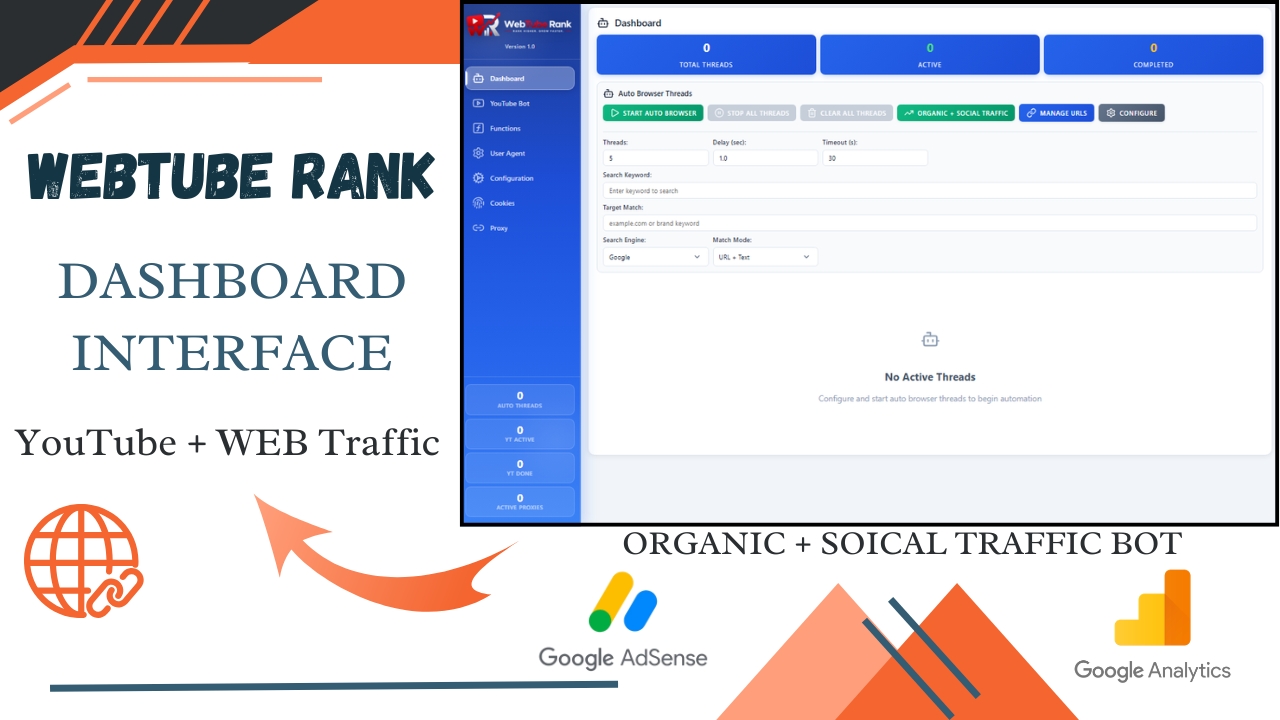
3. DASHBOARD OVERVIEW
The Dashboard is the central hub of WebTube Rank. From here, you can monitor automation tasks, view statistics, and start or stop browser threads.
Dashboard Statistics
- Total Threads — Total number of automation threads created.
- Active — Number of currently running browser sessions.
- Completed — Number of completed threads.
Auto Browser Threads
- Threads — Number of browser sessions running simultaneously.
- Delay — Time between launching each thread.
- Timeout — Maximum time each browser session can remain open.
- Search Keyword — Keyword used for search-based traffic.
- Target Match — Domain or brand keyword used to identify the target.
- Search Engine — Select from supported search engines.
- Match Mode — URL or text-based matching.
Action Buttons
- START — Start browser automation.
- STOP — Stop running browser threads.
- CLEAR — Remove completed threads from history.
- ORGANIC + SOCIAL TRAFFIC — Open traffic source settings.
- MANAGE URLS — Manage target URLs.
- CONFIGURE — Open advanced configuration settings.
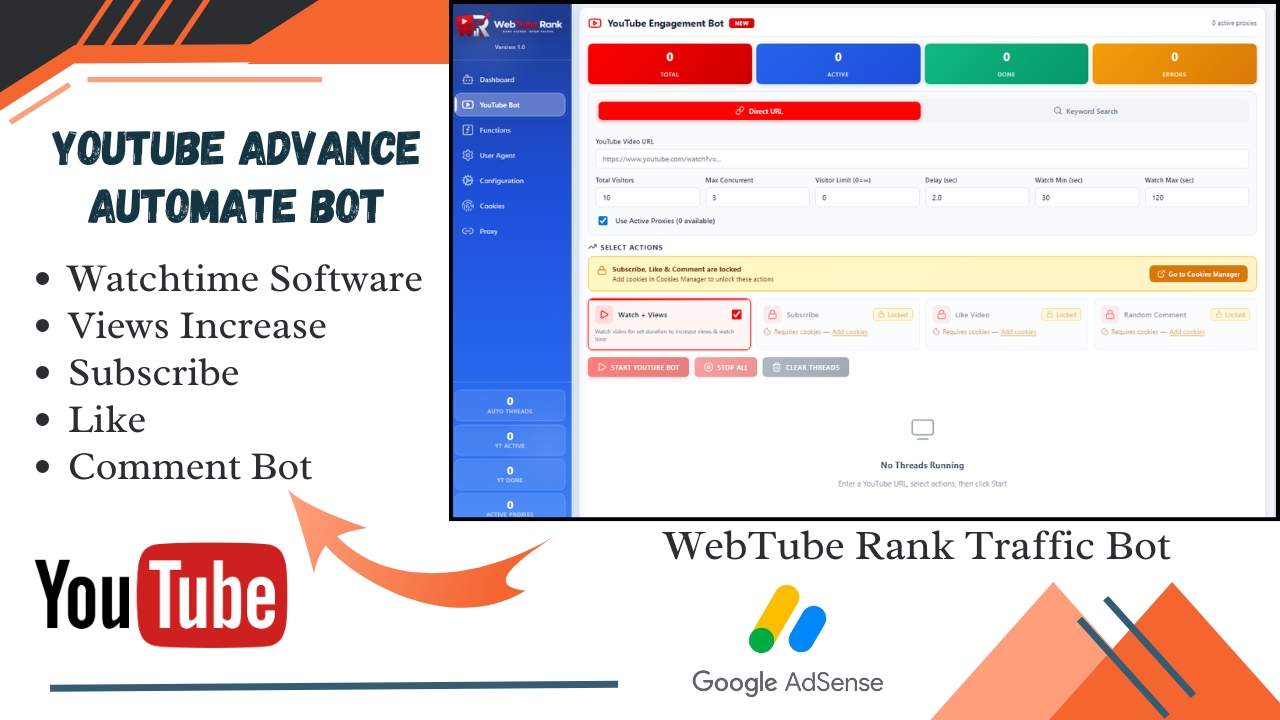
4. YOUTUBE ENGAGEMENT BOT
The YouTube Engagement Bot provides configurable automation options for YouTube videos.
Available Actions
- Video Views
- Watch Time
- Likes
- Subscriptions
- Random Comments
Setting Up a YouTube Campaign
Step 1 — Enter YouTube Video URL
Paste the full URL of the YouTube video you want to process.
Step 2 — Configure Visitor Parameters
- Total Visitors
- Maximum Concurrent Sessions
- Visitor Limit
- Delay
- Minimum Watch Duration
- Maximum Watch Duration
Step 3 — Select Video Quality
Supported quality options include Auto, 144p, 240p, 360p, 440p, 720p, and 1080p.
Step 4 — Choose Actions
- Watch + Views
- Subscribe
- Like Video
- Random Comment
Subscribe, Like, and Comment actions require authenticated YouTube accounts and browser cookies.
Step 5 — Enable Proxies
Enable proxy usage to distribute browser sessions across the imported proxy list.
Step 6 — Start YouTube Bot
Click START YOUTUBE BOT to begin the configured campaign. 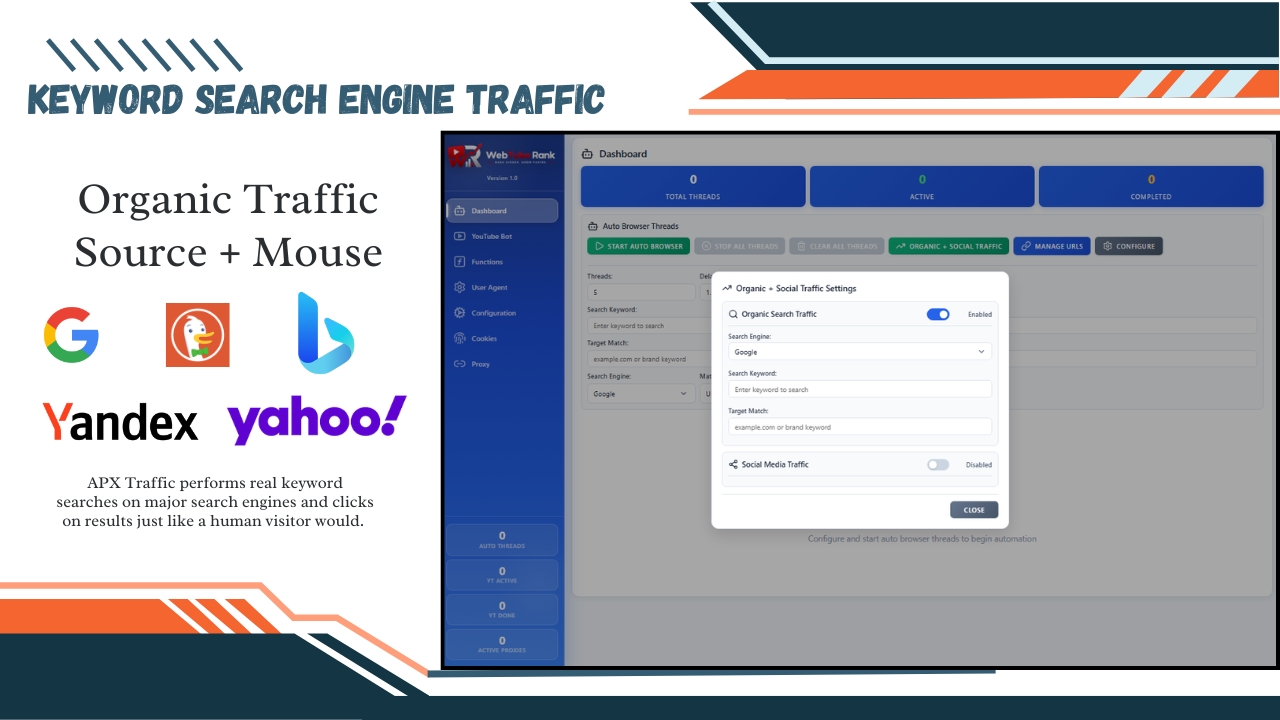
5. TRAFFIC SOURCES — ORGANIC & SOCIAL MEDIA
Organic Search Traffic
Organic traffic configuration allows the software to perform keyword-based searches and locate configured targets within supported search engines.
Supported Search Engines
- Bing
- DuckDuckGo
- Yahoo
- Yandex
- Baidu
Configuration Fields
- Search Engine
- Search Keyword
- Target Match
- Match Mode
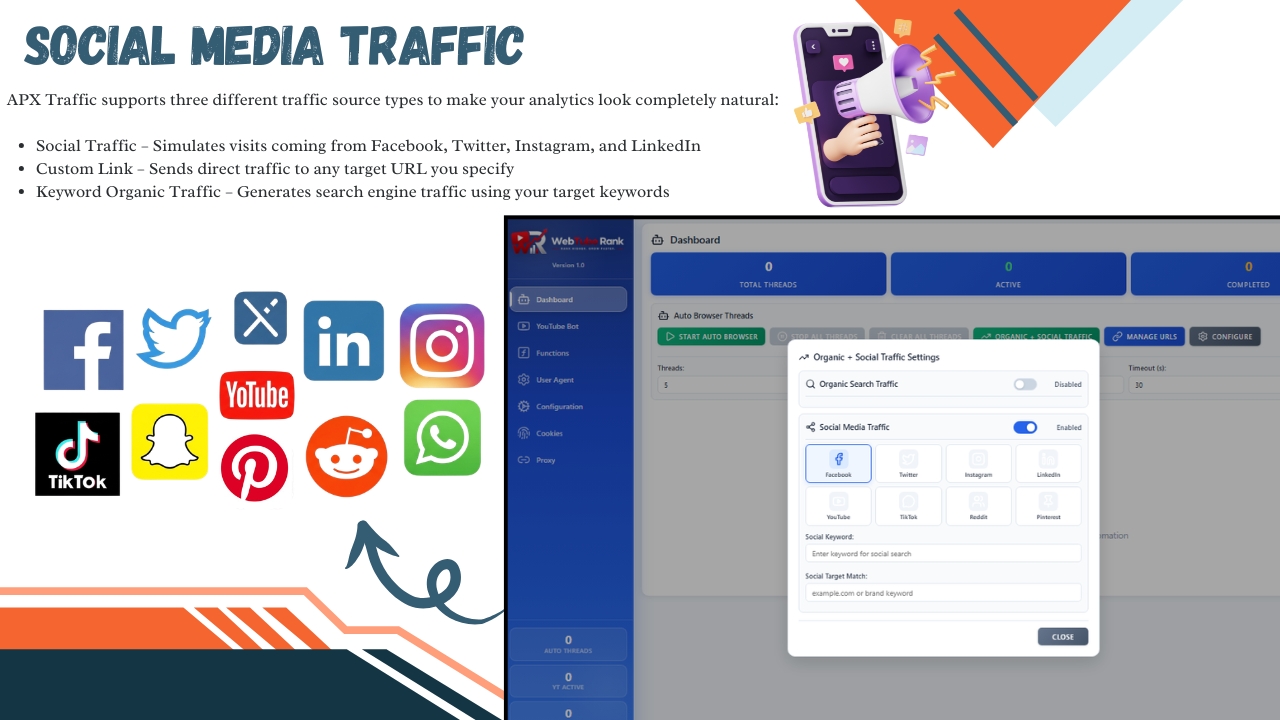
Social Media Traffic
WebTube Rank supports configurable social traffic sources.
- Twitter / X
- YouTube
- TikTok
Organic and Social Traffic can be configured independently or combined depending on your campaign requirements. 
6. ADVANCED FUNCTIONS
- Browser Auto Timezone — Automatically configure browser timezone settings.
- Random Fingerprints — Generate varied browser fingerprint characteristics.
- Headless Mode — Run browser sessions without displaying browser windows.
- Do Not Track — Enable the Do Not Track browser setting.
- Android Emulator — Provide Android-style browser and viewport configuration.
- Advanced Fingerprints — Configure additional browser and device characteristics.

7. USER AGENT SETTINGS
The User Agent panel controls the browser and operating system identification used by browser sessions.
Supported Platforms
- Windows: Chrome, Firefox, Edge, Opera, Vivaldi, Brave
- macOS: Chrome, Safari, Firefox, Edge, Opera
- Linux: Chrome, Firefox
- Android: Chrome, Firefox, Samsung Internet
- iOS: Safari, Chrome, Firefox
You can also add custom user agent strings using the Custom User Agent option. 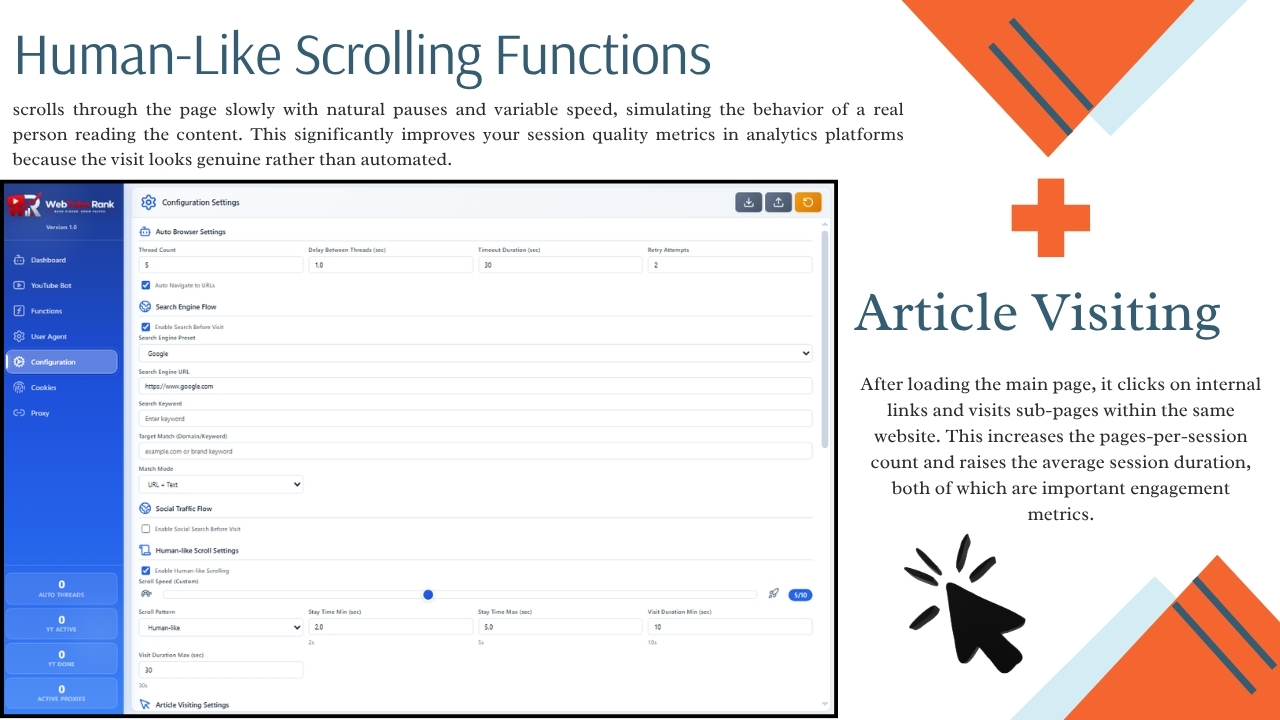
8. CONFIGURATION SETTINGS
The Configuration panel allows you to customize browser session behavior, timing, scrolling, retry logic, and traffic settings.
Auto Browser Settings
- Thread Count
- Delay Between Threads
- Timeout Duration
- Retry Attempts
- Auto Navigate to URLs
Search Engine Flow
- Enable Search Before Visit
- Search Engine Preset
- Search Engine URL
- Search Keyword
- Target Match
- Match Mode
Human-Like Scroll Settings
- Enable Human-like Scrolling
- Scroll Speed
- Scroll Pattern
- Stay Time Minimum
- Stay Time Maximum
- Visit Duration Minimum
- Visit Duration Maximum
Configuration Management
- Save — Save the current configuration.
- Load — Load a previously saved configuration.
- Reset — Restore factory settings.
9. BROWSER COOKIES MANAGER
The Browser Cookies Manager allows users to import cookies from logged-in browser sessions for account-based actions.
Supported Actions
- Subscribe
- Like
- Comment
IMPORTANT: Only use cookies from accounts you own or have explicit permission to use. Using another person’s cookies without permission may violate platform Terms of Service and applicable laws.
Cookie Import Process
- Install a compatible cookie export browser extension.
- Log into your own account.
- Export cookies in a supported format.
- Open Cookies Manager in WebTube Rank.
- Use Add From Paste or Add From File.
- Test and manage imported cookie sets as required.
10. PROXY MANAGEMENT
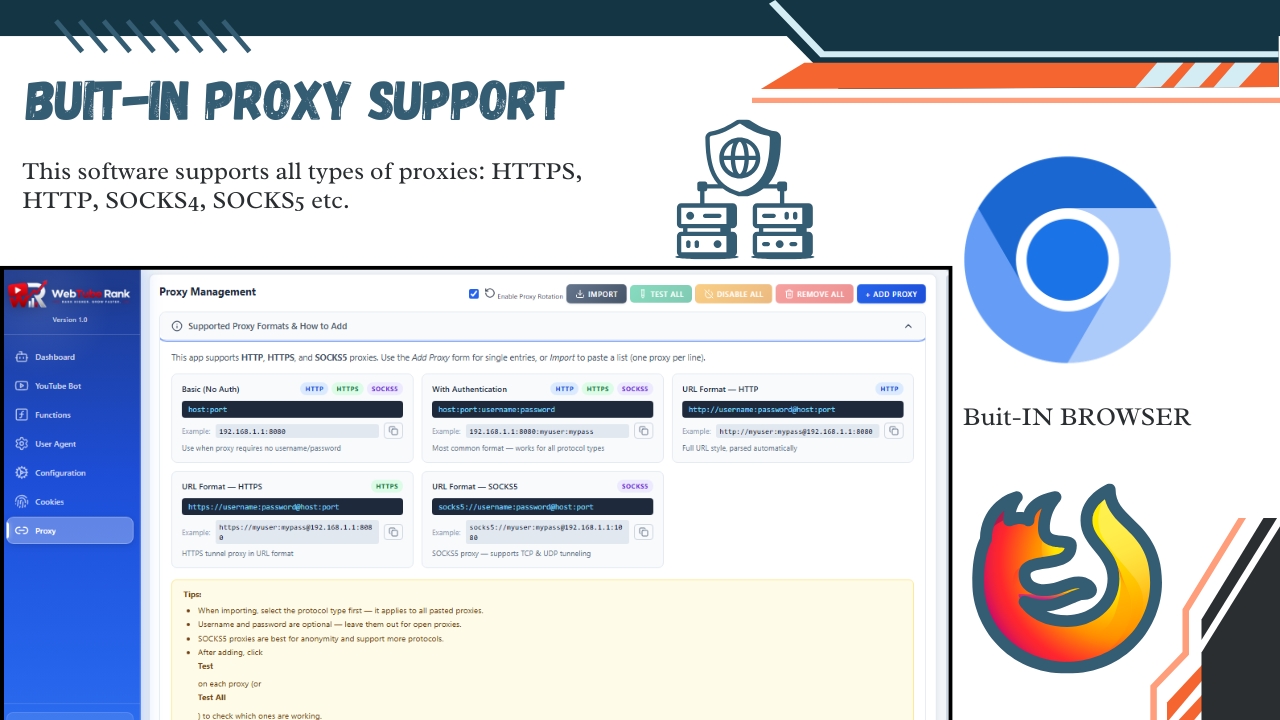
Proxies are required for WebTube Rank’s multi-session traffic configuration.
WebTube Rank does not include proxy services. Proxies must be purchased separately from a third-party provider.
Supported Proxy Types
- HTTP
- HTTPS
- SOCKS5
- Obtain a proxy list from a reputable provider.
- Open the Proxy section.
- Click Import.
- Select the proxy protocol.
- Paste your proxy list.
- Click Import Proxies.
Testing Proxies
Use Test All to check imported proxies. Non-working or slow proxies can be removed from the proxy pool.
Proxy Rotation
Proxy Rotation can automatically assign different proxies to browser sessions.
Important: Proxy services are external and are not included with WebTube Rank.
11. FREQUENTLY ASKED QUESTIONS
Q: Do I need to purchase proxies separately?
Yes. WebTube Rank requires external proxy services. Proxies are not included with the software.
Q: What proxy type is best?
SOCKS5 proxies are recommended for anonymity and compatibility. HTTPS proxies are also supported.
Q: Can I use WebTube Rank without proxies?
Technically yes, but it is not recommended for multi-session traffic configurations.
Q: Is WebTube Rank legal to use?
The software itself is an automation tool. However, users are responsible for how they use it. Automated traffic or engagement may violate the Terms of Service of certain platforms. Always comply with applicable laws and platform policies.
Q: Can I run WebTube Rank on multiple computers?
Each license is tied to one device at a time. To use the software on another computer, clear the license from the current device and activate it on the new machine.
Q: Does WebTube Rank guarantee rankings or traffic?
No. WebTube Rank does not guarantee rankings, conversions, traffic results, or algorithm changes. Results depend on configuration, proxy quality, content, and platform algorithms.
Q: Why is Chromium not downloading?
Check your internet connection and make sure your firewall or antivirus software is not blocking the download. Restart the application if necessary.
Q: Why are browser threads crashing?
- Too many threads for available system resources.
- Slow or non-working proxies.
- Timeout settings that are too low.
Q: Why are Subscribe, Like, and Comment actions locked?
These actions require authenticated accounts and valid browser cookies.
When Contacting Support
- Envato purchase code
- Operating system version
- Clear description of the issue
- Error messages or screenshots
- Current configuration settings
- Proxy type and quantity being used
Updates
WebTube Rank is actively maintained. New features, bug fixes, and performance improvements may be released regularly.
Monitor the CodeCanyon product page for update announcements.
WebTube Rank — Version 1.0
Support Email: algomajesty@gmail.com
System Requirements
- OS: Windows 7 / 8 / 10 / 11 (64-bit recommended)
- Processor: Core i3 (Core i5+ recommended)
- RAM: Minimum 4 GB (8 GB recommended)
- Disk Space: 500 MB free, plus approximately 200 MB for Chromium
- Internet: Required for browser installation and license validation
- Internet Connection: Stable broadband connection required
- Proxies: External proxy service required
Note: Source code is NOT provided. This is a compiled Windows (.exe) application only.
License & Usage
- Single-user license (Device-bound, 1 PC installation)
- Commercial use allowed
- Free updates for 6 months & Priority technical support included
Disclaimer
NOTE: This software may require external services such as proxies for scaling and optimal performance. These services may involve additional costs depending on usage.
Download & Support
After purchase, you will receive:
- Download link for Windows (.exe) installer
- Video tutorial and setup guide
- Email technical support (24-48 hour response)
- Access to updates and bug fixes
Version: 1.0
Last Updated: July 2026
12. SUPPORT & CONTACT
If you encounter issues or need help with WebTube Rank, please contact support.
Email Support:
algomajesty@gmail.com
Response Time:
Typically within 24–48 business hours.
What's Your Reaction?
 Like
0
Like
0
 Dislike
0
Dislike
0
 Love
0
Love
0
 Funny
0
Funny
0
 Angry
0
Angry
0
 Sad
0
Sad
0
 Wow
0
Wow
0