



















































ViralClippr | AI Offline Video to Viral Shorts Generator Windows App
Turn Long Videos Into Viral Shorts Automatically ViralClippr is an offline AI-powered Windows application that transforms long-form videos into short-form vert
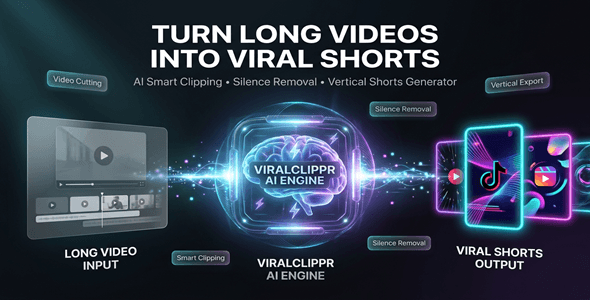
Turn Long Videos Into Viral Shorts Automatically
ViralClippr is an offline AI-powered Windows application that transforms long-form videos into short-form vertical clips optimized for TikTok, Instagram Reels, and YouTube Shorts.
No cloud uploads. No API setup. No subscriptions.
Everything runs locally on your Windows PC for maximum speed and privacy.



Perfect For
✔ Content creators & YouTubers
✔ TikTok & Reels editors
✔ Social media marketers
✔ Video production agencies
✔ Coaches & course creators
✔ Freelancers offering short-form editing services
System Requirements
| Operating System | Windows 10 or Windows 11 (64-bit) |
| Processor | Intel Core i5 or AMD equivalent |
| Memory (RAM) | Minimum 8 GB RAM (16 GB recommended) |
| Storage | Minimum 5 GB free disk space |
| Graphics | GPU recommended for accelerated exports |
Features
 | AI Smart Clip Detection Automatically detects engaging moments from long videos using local AI processing. |
| Automatic Silence Removal & Jump Cuts Remove pauses and dead air automatically for faster-paced content. |
| Face-Aware Vertical Cropping (9:16) Automatically keeps faces centered for TikTok, Reels, and Shorts formats. |
| Local Whisper AI Transcription Generate speech-to-text captions directly on your device. |
| Animated Word-by-Word Subtitles Create dynamic captions designed for higher engagement and watch time. |
| Viral Hook Detection AI identifies attention-grabbing moments for short-form content. |
| Platform Export Presets Export optimized videos for TikTok, Instagram Reels, and YouTube Shorts. |
| GPU-Accelerated Export Faster rendering using FFmpeg GPU acceleration support. |
| Fully Offline Processing All video processing happens locally on your computer. |
| Batch Video Processing Process multiple videos simultaneously for faster workflows. |
Why Use ViralClippr?
✔ Save hours of manual editing
✔ Convert podcasts, webinars, and long videos into short clips
✔ Create vertical videos automatically
✔ Add animated subtitles instantly
✔ Speed up content production workflows
ViralClippr helps creators and marketers produce short-form content faster using offline AI automation.
Simple 3-Step Workflow
 | Step 1 – Install Install ViralClippr on your Windows computer. |
 | Step 2 – Import Videos Load one or multiple long-form videos into the application. |
 | Step 3 – Generate Shorts Export AI-generated short clips ready for social platforms. |
- Version 1.0.0 – Initial release with AI clip detection, silence removal, face-aware cropping, local transcription, animated subtitles, batch processing, and GPU export support.

 | Does ViralClippr require an internet connection? No. All processing works locally on your Windows PC. |
| What formats are supported? MP4, MOV, AVI, MKV, and other FFmpeg-supported formats. |
| Can I process multiple videos? Yes. ViralClippr supports batch processing workflows. |
| Does it support GPU acceleration? Yes. Compatible GPUs can significantly improve export speed. |
| Which operating systems are supported? Currently supported on Windows 10 and Windows 11. |
What's Your Reaction?
 Like
0
Like
0
 Dislike
0
Dislike
0
 Love
0
Love
0
 Funny
0
Funny
0
 Angry
0
Angry
0
 Sad
0
Sad
0
 Wow
0
Wow
0


.png)