














































Nest – Grocery, Supermarket & Multivendor WooCommerce Theme
Version 2.0 — 07 May 2026 NEW — GPS Location Filter with Distance-Based Delivery Charges NEW — Built-in SEO Engine (no extra plugin needed) NEW — Elementor Pop

Version 2.0 — 07 May 2026
NEW — GPS Location Filter with Distance-Based Delivery Charges
NEW — Built-in SEO Engine (no extra plugin needed)
NEW — Elementor Popup Builder
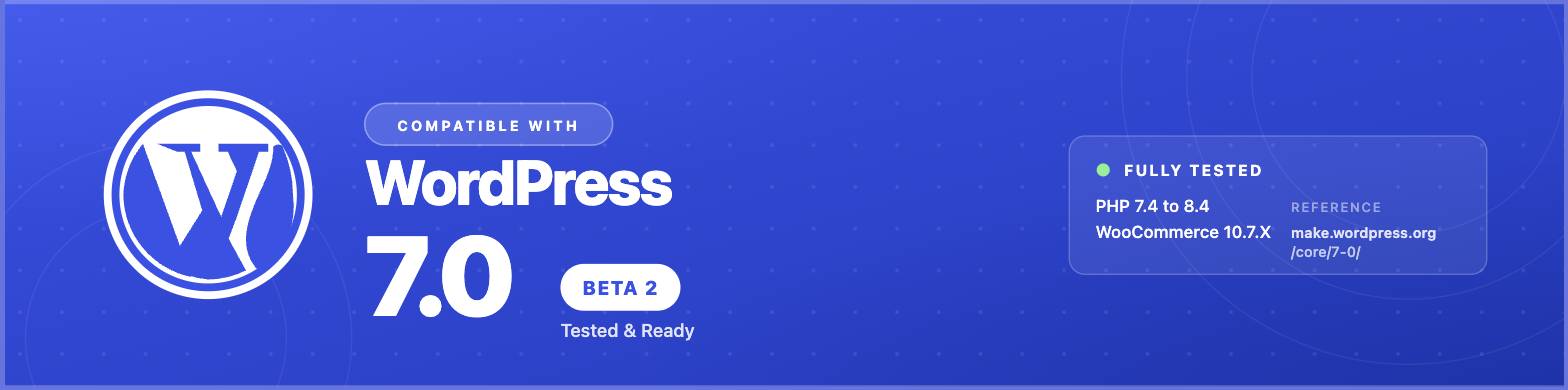
WordPress 6.9.4 Compatible (Tested with WordPress 7 Beta 2)
WooCommerce 10.7.X Compatible
PHP 7.4 to 8.4 Compatible
RTL Language Support
Dokan, WC Vendors, WCFM, MultiVendorX & Webkul Multivendor Compatible
Multi Vendor Marketplace Plugin by Webkul



Built for the Way People Shop in 2026 — Local, Mobile, and Multi-Vendor
You’re a small grocer on the edge of town who wants customers within 5 km to actually find you online. You’re a family pharmacy moving prescriptions to the web for the first time. You’re an organic farm that sells weekly vegetable boxes to three nearby suburbs. You’re a couple opening a hyperlocal food delivery service competing against Uber Eats and DoorDash. You’re a marketplace founder bringing twenty independent sellers together under one roof.
Nest was built for all of you.
This isn’t another generic shop layout dressed up as a “multipurpose theme.” Nest solves the actual problems people running modern stores face every day — customers ordering from the wrong city, delivery charges that don’t match the real distance, vendor onboarding that takes weeks instead of minutes, mobile checkout flows that lose half the cart, and SEO that requires three premium plugins just to break even with competitors. Every feature in Nest started as a real complaint from a real store owner.
Drag-and-drop with Elementor. Nine pre-built homepages designed for nine specific kinds of stores. Optional Figma source file so your designer can mock up changes before any code touches the live site. And the things people actually pay separate plugins for — geolocation filtering, delivery zone pricing, SEO meta and schema, popup campaigns — are already inside the theme.

The Problems Nest Solves That Most Themes Don’t
“My customers are ordering from cities I don’t deliver to”
The built-in GPS Location Filter means every visitor sees only products you can actually deliver to them. The theme reads the customer’s location (with permission), checks it against the service radius you set on each product, and quietly hides anything out of range. No third-party plugin. No subscription. No conflict with your existing checkout. A small bakery in Brooklyn won’t show up to a search from Queens unless you say so. A local pharmacy can serve only its postcode. A vendor on your marketplace can set their own delivery zone independent of every other vendor.
“My delivery charges don’t match the real distance”
You can charge a flat fee, or a tiered fee that grows with distance, or an extra surcharge for customers beyond your standard zone, or a custom rate per product. The theme calculates everything at checkout based on the customer’s actual coordinates. A grocery store can charge $3 within 5 km, $7 within 15 km, and refuse orders past 30 km — without writing a single line of code or installing a separate shipping plugin.
“I’m paying $99/year for an SEO plugin just to write a meta description”
Nest has a complete built-in SEO engine. Per-page meta titles, meta descriptions, focus keywords, Open Graph tags for Facebook and LinkedIn, Twitter Cards, Schema JSON-LD structured data for Google rich results, canonical URLs, and per-page robots control — all built into the theme. If you already use Yoast, Rank Math, or AIOSEO, Nest gets out of their way and lets them handle SEO instead. Your call.
“I want to run a Black Friday popup but I can’t afford another plugin”
The Nest comes with Popup Builder ships with the theme. Newsletter signups, deal-of-the-day announcements, exit-intent offers, age verification, cookie consent, vendor promotions — all designable with the same drag-and-drop tools you already use for pages. No OptinMonster subscription. No Popup Maker conflicts.
“Finally, a WooCommerce Theme That Actually Works with Dokan”
Nest is the rare WooCommerce theme that genuinely supports five different multivendor plugins — Dokan, WC Vendors, WCFM Marketplace, MultiVendorX, and Webkul Multi Vendor Marketplace. Vendor dashboards look right out of the box. Product submission forms inherit your theme styling. The GPS Location Filter even works inside the vendor dashboard, so each seller can set their own delivery zones. Switch marketplace plugins later? Your storefront keeps working.
Nine Demos Designed for Nine Specific Kinds of Stores
Each demo is a real, complete starting point — not a placeholder. Import with one click, replace the products with yours, and you’re live the same day.
- The Neighborhood Grocery Store — Fresh fruits, vegetables, dairy, pantry staples. Designed for repeat shoppers who want to refill their basket fast. Optimized for mobile reorder flows.
- The Multi-Aisle Supermarket — Hundreds of categories, brand filters, deal countdowns, mega menus. For stores that sell everything from baby food to cleaning supplies under one roof.
- The Organic & Farm Shop — Earthy palette, ingredient transparency, weekly box subscriptions. For farmers, CSA programs, and zero-waste brands.
- The Pharmacy & Wellness Store — Trustworthy layout for medicines, supplements, and personal care. Clean badges for prescription vs. over-the-counter.
- The Hyperlocal Food Delivery Site — Restaurant menus, takeaway options, real-time delivery zones. Competes head-on with Uber Eats and DoorDash on user experience.
- The Electronics & Gadget Shop — Spec-heavy product cards, comparison tables, tech-forward color scheme.
- The Fashion & Lifestyle Boutique — Lookbook-style product pages, swatch variations, lifestyle photography focus.
- The Baby & Kids Store — Soft palette, age-grouped categories, parent-friendly trust signals.
- The Multivendor Marketplace — Vendor cards, store directories, ratings, geolocation-aware browsing for seller discovery.
How It Feels to Use Nest
You install the theme. You run the setup wizard. You pick which of the nine demos matches what you’re building. You click import. Two minutes later, you’re looking at a working store with sample products, sample categories, sample blog posts, sample slider, sample header, and sample footer — exactly like the live preview.
You replace the sample products with yours. You change the logo. You drag a new image into the slider. You publish.
That’s the whole journey. No theme builder course required. No “developer mode” you have to unlock. No 47-step documentation series before your first product goes live. Buyers tell us they go from purchase to live store in under a day on average — even the ones who’ve never used WordPress before.
The WooCommerce Features People Pay Extra For — Already Inside
- Ajax Add to Cart — Customers tap “Add” and the cart updates immediately. No page reload. No lost browsing context. Conversions go up because the moment of friction disappears.
- Ajax Live Search — Real product suggestions appear as the customer types. Powered by FiboSearch. Reduces the “I can’t find it, I’ll leave” abandonment that kills 30% of mobile shop sessions.
- Quick View Popup — See product details without leaving the category page. Saves 4-5 clicks per browsing session.
- Smart Wishlist — Customers save products for later. They come back. They buy. Powered by WPC Smart Wishlist.
- Side-by-Side Compare — For shoppers torn between three brands of olive oil, three pairs of running shoes, three blenders. Powered by WPC Smart Compare.
- Frequently Bought Together — The Amazon-style upsell at the bottom of product pages. Lifts average order value 10-15% in our tests.
- Variation Swatches — Color circles, image thumbnails, label buttons for product variations. Replaces the ugly default WooCommerce dropdown.
- Sticky Add-to-Cart Bar — On long product pages, the buy button stays visible at the bottom. Customers never have to scroll back up to commit.
- Sold Progress Bar — “23 of 50 sold” creates urgency without manipulation. Honest scarcity that performs.
- Deal Countdown Timer — For real promotions with real end dates. Drives the “buy now” impulse without dark patterns.
- Brand Taxonomy & Filter — Organize products by brand, let customers filter by their favorites.
- Active Filters Display — Customers always see what they’ve filtered. They never lose track of why they’re seeing five products instead of fifty.
- Recently Viewed Products — Returning visitors pick up exactly where they left off.
- Load More & Infinite Scroll — No more pagination. Browsing feels like Instagram, which is what mobile shoppers expect now.
- Mini Cart with Live Updates — Always-visible cart preview in the header. Customers know what they’re spending without leaving the page they’re on.
Design Without Code — Elementor at the Center
If you’ve used Elementor before, Nest will feel familiar instantly. If you haven’t, you’ll learn it in an afternoon. Either way, every part of the storefront is editable visually — drag a section, drop in a widget, change a color, see it live.
- Header Builder — Design the top of your store visually. No header.php editing, no PHP knowledge.
- Sticky Header Builder — Different header behavior when the page scrolls. Useful for keeping search and cart accessible during long browsing.
- Footer Builder — Newsletter forms, payment icons, social links, sitemap columns — all drag-and-drop.
- Mega Menu Builder — Two-column, three-column, image-rich, product-rich navigation menus. The kind big retailers use.
- Mobile Header Builder — A separate, dedicated mobile menu so you don’t have to compromise the desktop design.
- Popup Builder — Newsletter signups, deal popups, exit-intent offers, age verification.
- 50+ Custom Elementor Widgets — Product carousels, deal countdowns, brand grids, vendor showcases, testimonial sliders, and more — all built specifically for ecommerce stores.
- Pre-Built Section Templates — Ready-made hero sections, product grids, newsletter blocks. Drop them onto any page.
Running a Marketplace? Nest Was Built With You in Mind
Marketplaces are the fastest-growing segment of WooCommerce in 2026. Whether you want a curated five-vendor artisan market or a sprawling Amazon-style multi-vendor platform, Nest is one of the few themes that genuinely supports the major marketplace plugins without breaking when you switch between them.
Vendors get clean dashboards that match your storefront design. They can set their own GPS service zones, their own delivery charges, their own country restrictions — without you writing custom code for each seller. The theme’s geolocation engine works inside the vendor product editor, so every seller’s products are automatically filtered based on customer location.
If you’re already running a marketplace on Dokan, WC Vendors, WCFM, MultiVendorX, or Webkul, Nest will respect your setup. If you’re starting fresh, Nest will help you choose the right plugin for your model.
Multivendor Plugins Nest Officially Supports
- Dokan & Dokan Pro — Full PHP UI on both the Legacy editor and the new React editor. Vendors can set GPS locations, delivery zones, and country restrictions from their own dashboard.
- WC Vendors — Native dashboard integration with geo-location fields injected directly into the vendor product editor.
- WCFM Marketplace — Complete WCFM product manager support with theme-styled forms.
- Webkul Multi Vendor Marketplace — Compatible storefront and vendor dashboard styling.
- MultiVendorX — Layout, navigation, and form styling support.
Note: if you experience functional bugs inside Dokan, WC Vendors, or any other marketplace plugin (login flow issues, permission errors, payout problems), those fall outside our support scope because they belong to the plugin authors. But if anything inside the theme breaks when those plugins are active — broken styles, conflicting forms, layout glitches — we’ll fix it. That’s our job.
Mobile Shoppers Are 70% of Your Traffic. Nest Knows That.
Every layout decision in Nest started on a 375px wide screen. The desktop version came later. That’s the opposite of how most themes are built, and you’ll feel the difference the first time you load the demo on your phone.
- Buttons are sized for thumbs, not mouse cursors
- The mobile menu has its own builder, not just a hamburger version of the desktop nav
- The category browser uses an off-canvas drawer, not a long scrollable list
- The product page sticks the buy button to the bottom of the screen, always reachable
- Image galleries use swipe gestures, not tiny arrow taps
- The cart updates without page reloads, so the connection blip when you’re on transit Wi-Fi doesn’t kill the order
- Core Web Vitals (LCP, FID, CLS) are tuned for the green zone in PageSpeed Insights
Built for Modern Google — Not 2015 Google
Search has changed. Vector-based ranking, AI overviews, structured data requirements, mobile-first indexing. Nest is built for the search engine that exists in 2026.
- Schema JSON-LD — Product schema, breadcrumb schema, organization schema, review schema — all generated automatically. Your products qualify for rich result snippets in Google search the day you go live.
- Open Graph & Twitter Cards — Every product, every blog post gets proper share previews on Facebook, LinkedIn, WhatsApp, Twitter/X out of the box.
- Clean Semantic HTML5 — Headings make sense to screen readers and search engines.
- Per-Page Meta Robots Control — Index this, nofollow that, noindex the staging pages.
- Auto Canonical URLs — No duplicate content issues from product variations or filtered pages.
- Accessibility (a11y) Friendly — ARIA roles, keyboard navigation, screen reader labels.
- Compatible With: Yoast SEO, Rank Math, AIOSEO, LiteSpeed Cache, WP Rocket, Cloudflare APO.
Selling in Multiple Languages? Nest is Translation-First
- WPML Multilingual compatible — sell in dozens of languages from one install
- Loco Translate compatible — translate strings without leaving WordPress
- TranslatePress compatible — visual front-end translation
- Full RTL Support — for Arabic, Hebrew, Persian, and Urdu storefronts
- .pot translation file included for both the theme and the Nest Addons plugin
Recommended & Compatible Plugins
Nest works seamlessly with the WordPress ecosystem’s most-loved free and freemium plugins. None of them are required — but if you already use them, Nest will integrate without conflicts.
- Elementor (Free) — The page builder Nest is built around. Fully integrated.
- Elementor Pro (Optional) — Compatible with your existing Pro license if you have one. Not required to use Nest.
- Slider Revolution (Optional) — Compatible with the bundled or your own licensed copy. Not required — Nest’s built-in hero sections work without it.
- Redux Framework (Free) — Powers the advanced theme options panel.
- WPC Smart Wishlist, Compare, Frequently Bought Together (Free) — All three integrate natively with Nest’s product cards.
- Variation Swatches by Emran (Free) — Color, image, and label swatches for product variations.
- FiboSearch (Free) — Powers the Ajax live search bar.
- Contact Form 7 (Free) — Pre-styled form templates included.
- MC4WP — Mailchimp for WordPress (Free) — Newsletter integration.
- One-Click Demo Importer (Custom) — Built specifically for Nest’s nine demos. Imports content, sliders, settings, and widgets in one click.
What Customers Actually Tell Us
- “It just works on every device.” — 100% fluid responsive, tested on real iPhones, Androids, iPads, and Surface tablets
- “I picked a demo and was live the same day.” — Nine pre-built homepages, one-click import
- “Every WooCommerce template I needed was already styled.” — Cart, checkout, my account, wishlist, comparison, vendor dashboard
- “I changed everything in one panel.” — Redux-powered admin with hundreds of options
- “My logo and colors took two minutes.” — Visual customizer, no coding required
- “600+ Google Fonts and they all just load.” — Performance-optimized font loading
- “The child theme saved me from breaking everything.” — Child theme included for safe customization
- “It works perfectly on Retina displays.” — High-DPI optimized everywhere
- “I run six stores on multisite. No issues.” — WordPress Multisite tested
- “Same look in Chrome, Safari, Firefox, Edge.” — Cross-browser compatible
- “The documentation actually answered my question.” — Step-by-step written docs plus video tutorials
- “They keep shipping updates four years later.” — Lifetime free updates, 70+ versions since launch
- “Support replied in three hours, fixed my issue in one.” — Free premium support from real humans
- “Code is clean.” — W3C validated HTML5 & CSS3, fully commented
Lifetime Free Updates — Not a Marketing Slogan
We’ve shipped 70+ updates since Nest launched in 2022. Every WordPress version. Every WooCommerce template change. Every new feature on this page. All free for everyone who bought the theme — including the people who bought it on launch day. We update because the web changes, not because we want to charge you again. That’s the deal, and it isn’t changing.
Support — Free, Human, and Fast
If you get stuck, we help. Setup questions, customization advice, conflict troubleshooting. Most tickets close within 24 business hours. We also maintain a complete documentation portal at themepanthers.com, video tutorials on YouTube, and a community of store owners who help each other.
Love Nest? A Five-Star Review Helps Us Build More
If Nest helped you launch your store, please take 30 seconds to leave a five-star review on ThemeForest. Reviews directly fund our ability to keep adding features like the GPS Location Filter and the built-in SEO engine you got in this update. Every review is read. Every review is appreciated. Thank you.
Credits
All image and font credits are listed in the documentation folder. Demo images are not included in the .zip file due to licensing restrictions — but you can replace them with your own products in seconds, or grab licensed photos from Unsplash, Pexels, or Envato Elements.
Changelog
Version 2.0 — 07 May 2026
Added -- GPS Location Filter for product (Supports Dokan, WC Vendors, WCFM) Added -- WordPress compatibility support 6.9.4 (Tested with WordPress 7 Beta 2) Added -- Popup Builder Added -- Built-in SEO Option Updated -- Outdated WooCommerce template - 10.7.X Updated -- Plugins Fixed -- Styling issues
Version 1.9.6 — 24 March 2026
Fixed -- Add to cart issue Fixed -- Quantity missing in cart page Updated -- Slider Revolution files
Version 1.9.5 — 18 March 2026
Added -- WordPress 6.9.4 compatibility Updated -- WooCommerce template files (10.6.X) Updated -- Bundled plugins
Version 1.9.4 — 08 February 2026
Added -- WordPress 6.9.1 compatibility Updated -- Redux Framework Updated -- WooCommerce template files (10.5.X) Updated -- Bundled plugins
Version 1.9.3 — 21 November 2025
Updated -- Outdated WooCommerce templates Updated -- Bundled plugins
Version 1.9.2 — 24 September 2025
Updated -- Outdated WooCommerce templates to 10.2.0 /woocommerce/notices/notice.php /woocommerce/single-product/add-to-cart/simple.php /woocommerce/single-product/add-to-cart/variation-add-to-cart-button.php Improved -- Add to cart CSS
Version 1.9.0 — 18 September 2025
Updated -- Outdated WooCommerce template 10.0.0 to 10.1.0 Updated -- Redux Framework Updated -- Auto-update option Added -- New Ajax add to cart Updated -- Bundled plugins
Version 1.8.6 — 1 August 2025
Fixed -- Minor bug in nest-addons plugin Updated -- Outdated WooCommerce template 10.0.0 to 10.0.4
Version 1.8.4 — 04 July 2025
Added -- WordPress 6.8.1 compatibility Updated -- Outdated WooCommerce templates Fixed -- Minor bug in Nest Elementor widgets Fixed -- Minor styling issues in Nest Elementor widgets Updated -- Outdated plugins
Version 1.8.3 — 21 April 2025
Added -- WordPress 6.8 compatibility Updated -- Plugins
Version 1.8.2 — 5 March 2025
Fixed -- Select arrow CSS issues Updated -- Outdated WooCommerce template -> Single/meta.php Added -- Category brand filter check and uncheck Added -- Disable category and brand based on product visibility
Version 1.8.1 — 18 February 2025
Fixed -- Minor bug in Product Badge Updated -- Style issues in popup Updated -- Outdated plugins
Version 1.8 — 27 December 2024
Fixed -- Minor bug in Ajax add to cart Fixed -- Updated plugins to latest version Updated -- Outdated WooCommerce templates Added -- WordPress 6.7.1 compatibility
Version 1.7.9 — 03 September 2024
Fixed -- Minor bug in breadcrumb Fixed -- Updated plugins to latest version Updated -- Outdated WooCommerce templates
Version 1.7.8 — 09 July 2024
Fixed -- Updated plugins to latest version Fixed -- Minor bugs in nest-addons plugin Updated -- Outdated WooCommerce templates
Version 1.7.7 — 30 April 2024
Fixed -- Minor bugs in nest-addons plugin Fixed -- Updated plugins to latest version Added -- Permalink to product card image Updated -- Outdated WooCommerce templates
Version 1.7.6 — 13 April 2024
Fixed -- Quick View bugs Fixed -- Minor bug in nest-addons plugin Added -- Out-of-stock filter option Updated -- Plugins
Version 1.7.5 — 27 February 2024
Updated -- Outdated WooCommerce templates Updated -- Theme files and package
Version 1.7.3 – 1.7.4 — 23 January 2024
Fixed -- Infinite scroll in product category pages Fixed -- Minor bugs in theme Fixed -- Minor bugs in Nest addons plugin Updated -- Plugins
Version 1.7.2 — 04 November 2023
Fixed -- Image crop option for products Fixed -- Styling issues Added -- Empty cart option Added -- Theme Wizard Setup Improved -- Ajax add-to-cart notification timing Updated -- POT translation file
Version 1.7.1 — 14 September 2023
Removed -- Purchase verification
Version 1.7 — 12 September 2023
Fixed -- Translation bugs in theme Fixed -- Login/Registration link in header Fixed -- Deprecated function in Elementor 3.16.0+
Our Best-Selling Theme: Creote — Consulting, Business & Finance WordPress Theme

What's Your Reaction?
 Like
0
Like
0
 Dislike
0
Dislike
0
 Love
0
Love
0
 Funny
0
Funny
0
 Angry
0
Angry
0
 Sad
0
Sad
0
 Wow
0
Wow
0