














































jSimplePresentation
This item represents a new vision of a slideshow, offered as a jQuery plugin. Some of possible uses : To use it instead of powerpoint in order to present your
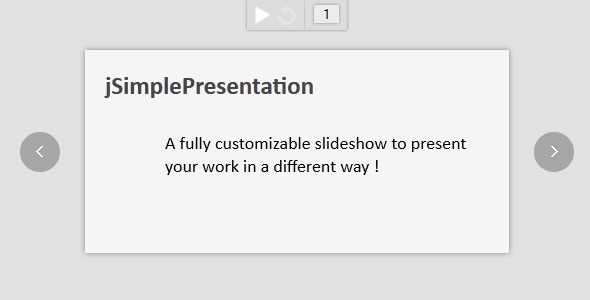
This item represents a new vision of a slideshow, offered as a jQuery plugin.
Some of possible uses :
- To use it instead of powerpoint in order to present your ideas
- To advertise a product, a website, ...
- To make an HTML designed book
- etc, etc.
Features
- Able to use other plugins in addition of this one
- Able to load unlimited number of pages
- It can contains what you want (a page is a simple div)
- The pages (center of the page) are automatically resized with the browser
- Fully and easily customizable
- Very easy to use
- Keyboard navigation (RIGHT / LEFT / SPACE / L)
- Slideshow option
- Autoplay option
- Loop option
- Image preloading option
- Go to a certain page (with secured input control)
- W3C Valid
- Works on iOS (iPhone / iPad) and certainly on Android
- Three themes included (grey, blue, orange)
- 4 transition presets
- You can write your own transition with a simple function in the plugin call
- Transitions can be different for the next and previous actions
- Well commented (most actions in the code contain comments)
How to use it
JS – Syntax $(document).simplePresentation({ autoplay: boolean, loop: boolean, intervalTime: integer, preloading: boolean, transitionFct: function }); JS – Example with a preset transition
var transitionFunction = function(elt, source, transitionTime) { Transition.opacity(elt, source, transitionTime); }; $(document).simplePresentation({ autoplay: false, loop: false, intervalTime: 2000, preloading: false, transitionFct: transitionFunction }); JS – Example with a transition we write
var transitionFunction = function(elt, source, transitionTime) { elt.css("opacity", "0"); // If we're going to the next page if (source == "RIGHT") { elt.css("marginLeft", "100%"); elt.animate({ "opacity": 1, "marginLeft": "0px" }, transitionTime); } else { elt.css("marginRight", "100%"); elt.animate({ "opacity": 1, "marginRight": "0px" }, transitionTime); } }; $presentation = $(document).simplePresentation({ autoplay: false, loop: false, intervalTime: 4000, preloading: true, transitionFct: transitionFunction }); HTML
Each div with id=”pageX” represent a page.......
Each pages must have an id that starts with “page”.
Compatible browsers
This item works with the following browsers :- Firefox 4+
- IE7+ (uses a separated css stylesheet for IE less than V.9)
- Opera
- Chrome
- Safari
What's Your Reaction?
 Like
0
Like
0
 Dislike
0
Dislike
0
 Love
0
Love
0
 Funny
0
Funny
0
 Angry
0
Angry
0
 Sad
0
Sad
0
 Wow
0
Wow
0